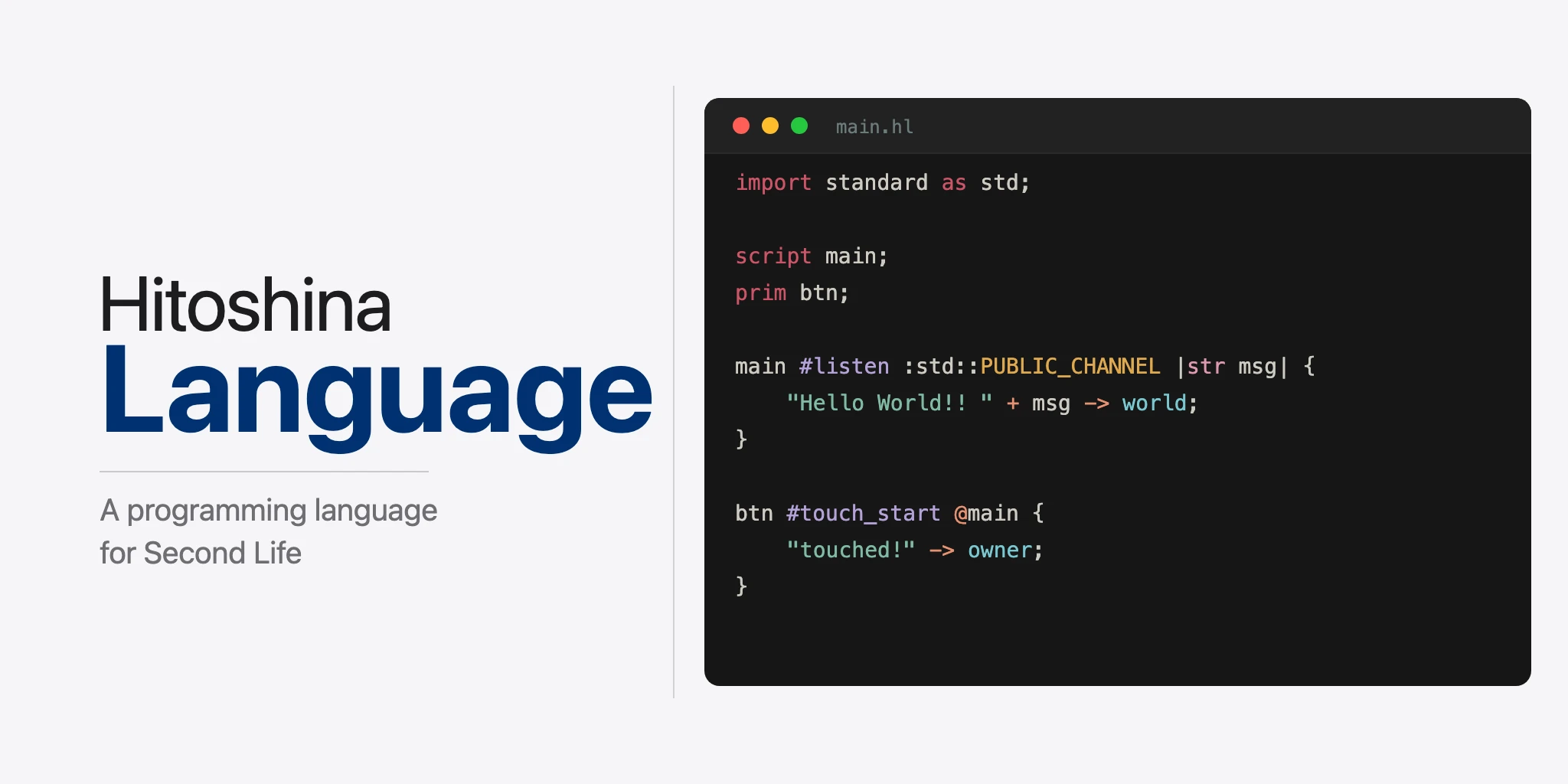
About Hitoshina - Language
Hitoshina - Language is a programming language for Second Life.
In line with Hitoshina’s philosophy of “contributing to a better Second Life”,
it aims to consolidate optimization know-how such as memory reduction and performance improvements, so that anyone can benefit from them without having to think about it.
When built, it outputs code in the scripting language LSL (Linden Scripting Language).
Features
- Optimization — Automatic optimizations including constant folding, inlining, and dead code elimination.
- Function and Procedure Separation — Syntactically distinguishes pure functions from procedures with side effects.
- Testing support — Unit testing and mock functionality for functions.
- Static analysis — Detects semantic errors such as missing receivers for sent channels.
Second Life Basic Concepts
Understanding the following Second Life concepts will help you learn Hitoshina - Language.
- Object: A 3D model that exists in the world. Composed of one or more prims (parts); linked prims are called a linkset.
- Script: A program embedded in an object. It operates in response to events (initialization, touch, message reception, etc.).
- Avatar: A player’s character. Uniquely identified by a UUID.
- Channel: A numbered message bus for inter-script communication. Channel 0 is world chat.
- Prim: An individual part that makes up an object. Identified by link number within a linkset. The
primdeclaration in HL corresponds to this concept.
Quick Start
Minimal .hl File Example
script main;

main #init {
    "Hello, World!" -> world;
}
script main;— Declares a script instance namedmain. When compiled, it is output asoutput/main.lsl.main #init { ... }— The initialization event handler for themainscript. Executed once when the script starts."Hello, World!" -> world;— Sends a string to world chat (public chat on channel 0).->is the message send operator, andworldis the destination.
Compiling this script generates output/main.lsl corresponding to the script main; declaration:
default {
    state_entry() {
        llSay(0, "Hello, World!");
    }
}
Compilation Steps
# Compile (generate LSL from .hl file)
hl main.hl

# Output: output/main.lsl
Place the generated .lsl file into a Second Life object to use it.
Creating a Project
# Create a project directory
hl new my_project
The following directory structure is created:
my_project/
├── lib/       # Library files (.hlib)
├── prc/       # Procedure library files (.hprc)
├── msg/       # Message handler files (.hmsg)
├── output/    # Output files (.lsl)
├── tests/     # Test files (.hltest)
└── main.hl    # Main script (initial template)
The role of each directory and file is as follows:
- lib/ — Stores functions and constants shared across multiple scripts as
.hlibfiles. Loaded withimport math_lib;. - prc/ — Stores reusable procedures (operations with side effects) as
.hprcfiles. Loaded withinclude common_proc;. - msg/ — Separates and defines processing to be executed when messages are received between scripts. Specified from the main file in the format
-> sub @handler_namewhen sending messages. - output/ — LSL files are generated here when you compile with
hl main.hl. Place these files in Second Life. - tests/ — Write unit tests in
.hltestfiles. Run them with thehl testcommand. - main.hl — The main script that serves as the project’s entry point. It is generated with the following initial template:
script main;

main #init {
    "Hello, World!" -> world;
}
Grammar Overview
This chapter provides a brief introduction to the overall structure of Hitoshina - Language. For detailed syntax specifications on each topic, refer to the subsequent sections.
Program Structure
An HL program is centered around a main file (.hl). The main file contains script definitions, event handlers, and the processing logic.
script main;               // Script instance declaration
prim btn;                  // Prim declaration

const int CH = 100;        // Constant definition

main #init {               // Initialization event
    "Ready" -> owner;      // Send message to owner
}
Data Types
The basic types are int, float, str, bool, key (UUID), vec (3D vector), and rot (rotation). Lists can be safely manipulated using typed lists such as ilist and slist. See Type System for details.
Variables and Constants
int count = 0;                     // Variable definition
const int MAX_COUNT = 100;         // Constant definition (uppercase naming)
Functions and Procedures
HL clearly distinguishes between functions and procedures.
- Functions: Compute and return a value. Composed of expressions only.
- Procedures: Execute operations with side effects(※). Use block syntax.
※A side effect is any operation that affects state outside the function itself, such as sending a message (->) or modifying a global variable. Because HL functions cannot have side effects, they are guaranteed to return the same result for the same input, regardless of where they are called.
script main;

// Function: returns a value via expression
int add(int a, int b) = a + b;

// Procedure: describes processing in a block
#greet |str name| {
    "Hello, " + name -> world;
}

main #init {
    add(5, 3) -> owner;    // "8"
    #greet|"World"|;       // "Hello, World"
}
See Basic Syntax for details.
Event-Driven Model
Scripts in Second Life operate on an event-driven basis. In HL, you can define event handlers such as #init (initialization), #timer (timer), #listen (message reception), and #touch_start (touch).
script main;

main #listen :0 |str msg| {        // Receive messages on channel 0
    msg -> owner;                  // Forward to owner
}
See Basic Syntax — Event Handlers for details.
Sending and Receiving Messages
The -> operator sends messages. Destinations can be world (public chat), owner (owner), or user-defined scripts and avatars.
script main;
script sub;

main #init {
    "Public message" -> world;          // World chat
    "Secret message" -> owner;          // Owner only
    "Data":100 -> sub;                  // To sub script on channel 100
}

sub #linkmsg :100 |str msg| {           // Receive messages on channel 100
    msg -> owner;
}
See Message Sending for details.
Conditionals and Loops
script main;

main #init {
    int count = 7;

    if 10 < count {
        "Large" -> owner;
    } elif 5 < count {
        "Medium" -> owner;
    } else {
        "Small" -> owner;
    }

    slist items = ["Apple", "Banana", "Cherry"];
    for str item in items {
        item -> owner;
    }
}
See Block Syntax for details.
File Organization
Code can be split into files by purpose.
| Extension | Purpose | Main Contents |
|---|---|---|
.hl | Main file | Script definitions, event handlers |
.hlib | Function Library | Reusable functions and constants |
.hprc | Procedure library | Reusable procedures |
.hmsg | Message handler | Processing on message reception |
.hltest | Test file | Unit tests and mocks |
See File Types for details.
File Types
Hitoshina - Language uses five file types, each serving a different purpose.
Main File (.hl)
The main file serves as the entry point for generating LSL scripts.
Definable elements:
- script/avatar/prim definitions (
script main;,avatar player = "UUID";, etc.). - Event handlers (
#init,#timer,#listen,#touch,#linkmsg, etc.). - Procedure definitions (
#proc { ... }format). - Function definitions (
int add(int a, int b) = a + b;format). - Constant definitions (
const int MAX = 100;format). - context definitions (structs for global state management).
- Property definitions (
#attachable,#animable,#cache_linknum,#memory_limit_kb). - import statements (referencing
.hlibfiles). - include statements (referencing
.hprcfiles).
Elements that cannot be defined:
- ref statements (exclusive to
.hmsgfiles). - test definitions (exclusive to
.hltestfiles).
Important: Block syntax is used within event handlers and procedures of the main file. Function calls can be used as expressions, but void functions (functions with no return value) do not exist. Use procedures for operations with side effects.
Example:
project/
└── main.hl
script main;
const int MAX_COUNT = 10;
context @main {
int counter = 0;
}
#debug |str msg| {
msg -> owner;
}
main #init |context ctx| {
"Hello" -> world;
ctx.counter += 1;
#debug|"Initialized"|;
}
main #listen:0 |str msg, context ctx| {
if ctx.counter < MAX_COUNT {
ctx.counter += 1;
"Count: " + ctx.counter -> owner;
}
}Library File (.hlib)
Library files define reusable functions and constants.
Definable elements:
- Function definitions (
int add(int a, int b) = a + b;). - Constant definitions (
const int MAX_VALUE = 100;). - Importing other libraries.
Elements that cannot be defined:
- script/avatar/prim definitions
- Event handlers
- Procedure definitions
- Property definitions
Example:
project/
└── lib/
    └── math_utils.hlib
const int MAX_VALUE = 100;
int add(int a, int b) = a + b;
int clamp(int x, int max) = max < x ? max : x;Procedure Library File (.hprc)
Procedure library files define reusable procedures.
Definable elements:
- Procedure definitions (
#proc_name { ... }or#proc_name|params| { ... }). - Importing other libraries.
- Including other procedure libraries.
Elements that cannot be defined:
- script/avatar/prim definitions
- Event handlers
- Function definitions
- Constant definitions
- Property definitions
Example:
project/
└── prc/
    └── greet.hprc
#say_hello |str name| {
"Hello, " + name -> world;
}Message Handler File (.hmsg)
Message handler files separate and define processing that is invoked when messages are sent.
Definable elements:
- ref statements (specifying the referenced script file).
- import statements.
- include statements (referencing
.hprcfiles). - Constant definitions.
- Function definitions.
- Procedure definitions.
- linkmsg event handlers.
Elements that cannot be defined:
- script/avatar/prim definitions.
- context definitions.
- Other event handlers (#init, #timer, #listen, #touch, etc.).
Example:
project/
├── main.hl
└── msg/
└── greeting.hmsgscript main;
script sub;
main #init {
"Hello":100 -> sub @ greeting; // Invoke msg/greeting.hmsg and send to sub script
}ref main;
sub #linkmsg :100 |str msg| {
msg -> world;
}Using context parameters:
Within linkmsg handlers in .hmsg files, you can access context fields defined in the parent .hl file via the context parameter.
script main;
script dialog;
context @dialog {
str dialog_part = "";
}
main #init {
"menu":100 -> dialog @ menu;
}ref main;
dialog #linkmsg :100 |str msg, context ctx| {
ctx.dialog_part = msg; // Access fields of context @dialog from parent .hl
}Test File (.hltest)
Test files are used for writing unit tests.
Definable elements:
- import statements.
- Test expressions (comparison expression format).
- Mock definitions.
Elements that cannot be defined:
- script/avatar/prim definitions
- Event handlers
- Function definitions
- Procedure definitions and calls
- Constant definitions
- Message sending
- context definitions
- Property definitions
Example:
project/
├── lib/
│ └── math_utils.hlib
└── tests/
└── math_utils_test.hltestThe target library and test examples:
int add(int a, int b) = a + b;
int clamp(int x, int max) = max < x ? max : x;import math_utils as m;
// Test the add function
m::add(1, 2) == 3;
m::add(-1, 1) == 0;
// Test the clamp function
m::clamp(50, 100) == 50;
m::clamp(150, 100) == 100;Test results:
✅ m::add(1, 2) == 3
✅ m::add(-1, 1) == 0
✅ m::clamp(50, 100) == 50
✅ m::clamp(150, 100) == 100
test result: ok. 4 passed; 0 failedFile Type Reference Table
This is a list of syntax available in each file type.
Top-Level Declarations and Definitions
| Syntax | .hl | .hlib | .hprc | .hmsg | .hltest |
|---|---|---|---|---|---|
import statement (import lib;) | ✅ | ✅ | ✅ | ✅ | ✅ |
include statement (include proc;) | ✅ | ❌ | ✅ | ✅ | ❌ |
ref statement (ref main;) | ❌ | ❌ | ❌ | ✅ | ❌ |
Instance definition (script main;) | ✅ | ❌ | ❌ | ❌ | ❌ |
prims group definition (prims btn***) | ✅ | ❌ | ❌ | ❌ | ❌ |
Constant definition (const int MAX = 100;, supports constant expressions) | ✅ | ✅ | ❌ | ✅ | ❌ |
context definition (context @script_id { ... }) | ✅ | ❌ | ❌ | ❌ | ❌ |
Function definition (int f(int x) = x;) | ✅ | ✅ | ❌ | ✅ | ❌ |
Procedure definition (#proc { ... }) | ✅ | ❌ | ✅ | ✅ | ❌ |
| Property: #attachable | ✅ | ❌ | ❌ | ❌ | ❌ |
| Property: #animable | ✅ | ❌ | ❌ | ❌ | ❌ |
| Property: #cache_linknum | ✅ | ❌ | ❌ | ❌ | ❌ |
| Property: #memory_limit_kb | ✅ | ❌ | ❌ | ❌ | ❌ |
Test expression (1 + 1 == 2;) | ❌ | ❌ | ❌ | ❌ | ✅ |
Mock definition (!!func() = val;) | ❌ | ❌ | ❌ | ❌ | ✅ |
Event Handler Definitions
| Syntax | .hl | .hlib | .hprc | .hmsg | .hltest |
|---|---|---|---|---|---|
| #init | ✅ | ❌ | ❌ | ❌ | ❌ |
| #timer | ✅ | ❌ | ❌ | ❌ | ❌ |
| #listen | ✅ | ❌ | ❌ | ❌ | ❌ |
| #linkmsg | ✅ | ❌ | ❌ | ✅ | ❌ |
| #touch_start / #touch | ✅ | ❌ | ❌ | ❌ | ❌ |
| #sensor | ✅ | ❌ | ❌ | ❌ | ❌ |
| #no_sensor | ✅ | ❌ | ❌ | ❌ | ❌ |
| #run_time_permissions | ✅ | ❌ | ❌ | ❌ | ❌ |
| #dataserver | ✅ | ❌ | ❌ | ❌ | ❌ |
| #changed | ✅ | ❌ | ❌ | ❌ | ❌ |
Block-Level Syntax
Syntax available inside event handler and procedure blocks { }.
| Syntax | .hl | .hlib | .hprc | .hmsg | .hltest |
|---|---|---|---|---|---|
Variable definition (int x = 1;) | ✅ | ❌ | ✅ | ✅ | ❌ |
Variable reassignment (x = 2;) | ✅ | ❌ | ✅ | ✅ | ❌ |
Message sending (exp -> target;) | ✅ | ❌ | ✅ | ✅ | ❌ |
| if/elif/else | ✅ | ❌ | ✅ | ✅ | ❌ |
| switch statement | ✅ | ❌ | ✅ | ✅ | ❌ |
| for-to loop | ✅ | ❌ | ✅ | ✅ | ❌ |
| for-each loop | ✅ | ❌ | ✅ | ✅ | ❌ |
| Prim method call | ✅ | ❌ | ✅ | ✅ | ❌ |
| Procedure call | ✅ | ❌ | ✅ | ✅ | ❌ |
| Dialog syntax | ✅ | ❌ | ✅ | ✅ | ❌ |
Early return (end;) | ✅ | ❌ | ✅ | ✅ | ❌ |
- .hlib functions are expression-based (no blocks), and .hltest only supports test expressions and mock definitions.
Function Expression Syntax
Expression forms available in function definition bodies (right-hand side of =).
| Syntax | .hl | .hlib | .hprc | .hmsg | .hltest |
|---|---|---|---|---|---|
Expression (a + b) | ✅ | ✅ | ❌ | ✅ | ❌ |
Ternary operator (exp ? exp : exp) | ✅ | ✅ | ❌ | ✅ | ❌ |
match (exp ? pat => val : default) | ✅ | ✅ | ❌ | ✅ | ❌ |
map (map type id in exp : exp) | ✅ | ✅ | ❌ | ✅ | ❌ |
map range (map int id = exp to exp : exp) | ✅ | ✅ | ❌ | ✅ | ❌ |
fold (fold type id in exp : exp) | ✅ | ✅ | ❌ | ✅ | ❌ |
fold range (fold int id = exp to exp : exp) | ✅ | ✅ | ❌ | ✅ | ❌ |
fold accumulator (fold ... , type acc = exp : exp, exp) | ✅ | ✅ | ❌ | ✅ | ❌ |
- Only available in file types that support function definitions (.hl, .hmsg, .hlib).
Switch Single-Statement Form
Syntax for writing after => in a switch statement without a block {}. This is a subset of block-level syntax.
| Syntax | .hl | .hlib | .hprc | .hmsg | .hltest |
|---|---|---|---|---|---|
| Variable definition | ✅ | ❌ | ✅ | ✅ | ❌ |
| Variable reassignment | ✅ | ❌ | ✅ | ✅ | ❌ |
| Message sending | ✅ | ❌ | ✅ | ✅ | ❌ |
| Prim method call | ✅ | ❌ | ✅ | ✅ | ❌ |
| Procedure call | ✅ | ❌ | ✅ | ✅ | ❌ |
| Dialog syntax | ✅ | ❌ | ✅ | ✅ | ❌ |
- Control syntax (if, switch, for) and early return (end) are not allowed in single-statement form. All syntax is available in block form
{}.
Basic Syntax
This chapter explains in detail the fundamental syntax elements that make up an HL program.
import Statement
import <library_name>;
import <library_name> as <alias>;Makes functions and constants defined in an external library file (.hlib) available in the current file.
Example:
int add(int a, int b) = a + b;import math_utils;
script main;
main #init {
int result = math_utils::add(5, 3);
result -> owner; // Displays "8"
}include Statement
include <library_name>;
include <library_name> as <alias>;Makes procedures defined in an external procedure library file (.hprc) available in the current file.
Example:
#say_hello |str name| {
    "Hello, " + name -> world;
}include greet;
script main;
main #init {
#greet::say_hello|"World"|;
}Identifier Naming Rules
Regular Identifiers (variable names, function names, script names, etc.)
- Only lowercase letters, digits, and underscores are allowed.
- Cannot start with a digit.
- Examples:
main,my_variable,count_items,user_id_123.
Constant Identifiers
- Only uppercase letters, digits, and underscores are allowed.
- Cannot start with a digit.
- Examples:
MAX_COUNT,DEFAULT_MESSAGE,CH_PUBLIC,API_KEY_1.
script/avatar/prim Definitions
Declares instances corresponding to Second Life entities.
- script: Corresponds to an LSL script.
script main;generatesoutput/main.lsl. A single.hlfile can generate code for multiple scripts (e.g.,script main; script sub;generatesoutput/main.lslandoutput/sub.lsl). - avatar: A player character. Identified by specifying a UUID at definition time (UUID required).
- prim: An individual prim (part) within a linkset. Identified by link number, and serves as a target for operations like color changes and touch detection.
script <identifier>;
avatar <identifier> = "<UUID_string>";
prim <identifier>;

// Multiple instances can be declared at once with comma separation
prim <identifier>, <identifier>, ...;
script <identifier>, <identifier>, ...;
prims Definition (Prim Grouping)
Groups multiple prims using a wildcard pattern.
import standard as std;

script main;
main #cache_linknum;

prim btn123;
prim btn456;
prim btn789;

// prims group definition (the number of `*` wildcards represents the character count)
prims btn*** = btn123, btn456, btn789;  // Groups prims with btn + 3 characters = 6-character names

// Method calls on a prims group are expanded to each prim
main #init {
    #btn***.set_color|std::ALL_SIDES, <1,0,0>, 1.0|;
    // Expands to:
    // #btn123.set_color|std::ALL_SIDES, <1,0,0>, 1.0|;
    // #btn456.set_color|std::ALL_SIDES, <1,0,0>, 1.0|;
    // #btn789.set_color|std::ALL_SIDES, <1,0,0>, 1.0|;
}

// Touch event for prims group (generates conditions via pattern matching)
btn*** #touch_start @main |prim obj| {
    obj.name() -> owner;  // Identifier name of the touched prim
    obj.desc() -> owner;  // Description of the touched prim
}
Constraints:
- Wildcards are suffix-only (
btn***is valid,***btnis not). - Assignment is required at declaration (
prims btn***;alone is not valid). - All prims matching the pattern must be assigned.
- prim and prims types are not interconvertible.
Event Handlers
Scripts in Second Life operate on an event-driven basis. In HL, event handlers are defined in the format script_identifier #event_name.
| Event | Trigger | Parameters |
|---|---|---|
#init | When the script starts (once only) | context |
#timer | At each timer interval | context |
#listen | When a message is received on the specified channel | str name, key id, str msg (all optional), context |
#linkmsg | When a link message is received | str msg, context |
#touch_start | When a prim is touched | prim, context |
#touch | While a prim is being touched | prim, context |
#sensor | When sensor detects objects/agents | int num_detected, context |
#no_sensor | When sensor detects nothing | context |
#run_time_permissions | When permission request result is received | int perm, context |
#dataserver | When an asynchronous data request (e.g. request_agent_data()) completes | key queryid, str data, context |
#changed | When the object changes | int change_flags, context |
#on_rez | When the object is rezzed or attached | int start_param, context |
init Event
Executed once when the script starts (on reset or attachment).
<script_identifier> #init {
    // Processing
}

<script_identifier> #init|context <variable>| {
    // Processing (with context access)
}

<script_identifier> #init|bool <variable>| {
    // Processing (the bool variable distinguishes the startup context)
}

<script_identifier> #init|bool <variable>, context <variable>| {
    // Processing (bool variable + context access)
}
bool parameter (optional): For scripts with #attachable, the body of #init is expanded to both the LSL state_entry and attach(key id) handlers. Declaring a bool parameter exposes a variable that evaluates to false on the state_entry path and true on the attach path, so logic that should run only on attachment can branch on it. When #attachable is not specified, the bool variable is always false.
script main;
main #attachable;

main #init|bool is_attach| {
    if is_attach {
        "attached!" -> owner;
    } else {
        "started" -> owner;
    }
}
timer Event
Executed repeatedly at the configured interval. Set the timer using the standard procedure set_timer().
<script_identifier> #timer {
    // Processing
}

<script_identifier> #timer|context <variable>| {
    // Processing (with context access)
}
listen Event
Receives chat messages on the specified channel. Channel 0 is world chat (public chat), and other numbers are used for inter-script communication.
// No parameters
<script_identifier> #listen :<channel_number> {
    // Processing
}

// Message only
<script_identifier> #listen :<channel_number> |str msg| {
    // Processing
}

// All parameters
<script_identifier> #listen :<channel_number> |str name, key id, str msg| {
    // Processing (name: sender name, id: sender UUID, msg: message)
}

// With context access
<script_identifier> #listen :<channel_number> |str msg, context ctx| {
    // Processing (context accessible)
}

// With owner filter
<script_identifier> #listen :<channel_number> + owner |str msg| {
    // Processing (receives from owner only)
}
Parameters (all optional, fixed order):
str <variable>— Sender namekey <variable>— Sender UUIDstr <variable>— Message bodycontext <variable>— Context access (specified at the end)
Valid combinations:
|str name, key id, str msg|— sender name, UUID, and message|str name, key id|— sender name and UUID|str name, str msg|— sender name and message|key id, str msg|— UUID and message|key id|— UUID only|str msg|— message only- omitted
, context <variable>can be appended to any of the above
※ A single str parameter is interpreted as the message body.
Channel number:
- Literal value:
#listen :0,#listen :123. - Constant name:
#listen :PUBLIC_CHANNEL. - Library constant:
#listen :const::CH_PUBLIC.
Owner filter (+ owner):
- Receives messages only from the owner.
linkmsg Event
Executed when a link message is received from another script within the same object.
<script_identifier> #linkmsg :<channel_number> |str msg| {
    // Processing
}

// With context access
<script_identifier> #linkmsg :<channel_number> |str msg, context ctx| {
    // Processing (context accessible)
}
touch_start Event
Executed once at the moment a player clicks (touches) a prim. The target prim is specified by its identifier, and bound to a script with @.
<prim_identifier> #touch_start @ <script_identifier> {
    // Processing
}

<prim_identifier> #touch_start :<face> @ <script_identifier> {
    // Processing (executed only when a specific face is touched)
}

// prim parameter (retrieve information about the touched prim)
<prim_identifier> #touch_start @ <script_identifier> |prim <variable>| {
    <variable>.name() -> owner;  // Identifier name of the prim
    <variable>.desc() -> owner;  // Description of the prim
}

// Combination of prim parameter and context parameter
<prim_identifier> #touch_start @ <script_identifier> |prim <variable>, context <ctx_variable>| {
    // Processing
}

// Same applies to prims groups (generates conditions via pattern matching)
<prims_group_identifier> #touch_start @ <script_identifier> |prim <variable>| {
    <variable>.name() -> owner;  // Identifier name of the individual touched prim
}
Prim parameter methods:
<variable>.name(): Gets the identifier name of the prim (str type).<variable>.desc(): Gets the Description of the prim (str type).
LSL conversion expansion example:
// obj.name() → llGetLinkName($link_num)
// obj.desc() → llList2String(llGetObjectDetails(llGetLinkKey($link_num), [OBJECT_DESC]), 0)- If a method is not referenced within the block, the corresponding code is not generated (optimization).
touch Event
Executed continuously while the player is touching the prim. The parameters are the same as #touch_start.
// Basic
<prim_identifier> #touch @ <script_identifier> {
    // Processing
}

// Face specification
<prim_identifier> #touch :<face> @ <script_identifier> {
    // Processing
}

// prim parameter (retrieve information about the touched prim)
<prim_identifier> #touch @ <script_identifier> |prim <variable>| {
    <variable>.name() -> owner;  // Prim identifier name
    <variable>.desc() -> owner;  // Prim Description
}

// Combination of prim parameter and context
<prim_identifier> #touch @ <script_identifier> |prim <variable>, context <ctx_variable>| {
    // Processing
}
Differences from #touch_start:
| Item | #touch_start | #touch |
|---|---|---|
| Execution timing | At the moment of touch (once) | While touching (continuous) |
| Parameter | prim, context | prim, context |
| LSL event | touch_start() | touch() |
sensor Event
Executed when a sensor started by the standard procedures sensor_repeat() / sensor() detects objects or agents.
<script_identifier> #sensor |int <num_detected_variable>| {
    // <num_detected_variable>: number of detected entities (int type)
}

<script_identifier> #sensor |int <num_detected_variable>, context <ctx_variable>| {
    // Can also be combined with context parameter
}
no_sensor Event
Executed when the sensor detects nothing.
<script_identifier> #no_sensor {
    // Processing
}

<script_identifier> #no_sensor |context <ctx_variable>| {
    // Can also be combined with context parameter
}
run_time_permissions Event
Executed when the permission requested by the standard procedure request_permissions() is granted or denied. The permission variable (int type) is a bitmask representing the granted permissions.
<script_identifier> #run_time_permissions |int <permission_variable>| {
    // <permission_variable>: bitmask of granted permissions (int type)
}

<script_identifier> #run_time_permissions |int <permission_variable>, context <ctx_variable>| {
    // Can also be combined with context parameter
}
dataserver Event
Executed when an asynchronous data request such as the standard library functions request_agent_data() / get_notecard_line() completes. The query ID variable (key type) identifies the request, and the data variable (str type) holds the returned data.
<script_identifier> #dataserver |key <queryid_variable>, str <data_variable>| {
    // <queryid_variable>: query ID identifying the request (key type)
    // <data_variable>: returned data (str type)
}

<script_identifier> #dataserver |key <queryid_variable>, str <data_variable>, context <ctx_variable>| {
    // Can also be combined with context parameter
}
changed Event
Executed when the object changes in some way (inventory added, link changed, region crossed, etc.). The int variable receives a bitfield describing the kind of change.
<script_identifier> #changed |int <change_flags_variable>| {
    // <change_flags_variable>: bitfield describing the kind of change (int type)
    //   Bitwise OR of CHANGED_INVENTORY, CHANGED_COLOR, CHANGED_SHAPE, CHANGED_SCALE,
    //   CHANGED_TEXTURE, CHANGED_LINK, CHANGED_ALLOWED_DROP, CHANGED_OWNER,
    //   CHANGED_REGION, CHANGED_TELEPORT, CHANGED_REGION_START, CHANGED_MEDIA,
    //   CHANGED_RENDER_MATERIAL
}

<script_identifier> #changed |int <change_flags_variable>, context <ctx_variable>| {
    // Can also be combined with context parameter
}
LSL conversion:
changed(integer change)
{
    // Block contents
}
on_rez Event
Executed when the object is rezzed in-world or when an avatar attaches it. The int variable receives the start_param value passed by llRezObject() or similar; for manual rez from a user or another object it is typically 0.
<script_identifier> #on_rez |int <start_param_variable>| {
    // <start_param_variable>: start_param value at rez time (int type)
}

<script_identifier> #on_rez |int <start_param_variable>, context <ctx_variable>| {
    // Can also be combined with context parameter
}
LSL conversion:
on_rez(integer start_param)
{
    // Block contents
}
Difference Between Procedures and Functions
| Item | Procedure | Function |
|---|---|---|
| Definition | #name { ... } | type name(...) = expr; |
| Return value | None | Required (result of expression evaluation) |
| Body | Block (sequence of statements) | Expression only |
| Invocation | #name; | name() |
| Definition location | .hl, .hprc, .hmsg | .hl, .hlib, .hmsg |
| Purpose | Operations with side effects | Compute and return a value |
Procedure Definition
// Without parameters
#<procedure_name> {
    // Processing
}

// With parameters
#<procedure_name> |<argument_list>| {
    // Processing
}
Example:
script main;

#debug_print |str message| {
    message -> world;
}

main #init {
    #debug_print|"Hello"|;
}
Procedure Invocation
#<procedure_name>;
#<procedure_name>|<arguments>|;
Function Definition
Functions are used to compute and return values. They can be defined in .hl, .hlib, and .hmsg files.
<return_type> <function_name>(<argument_list>) = <expression>;Example:
script main;

int add(int a, int b) = a + b;

main #init {
    int result = add(5, 3);
    result -> owner;  // Displays "8"
}Important: Function bodies consist of expressions only. The following syntax cannot be used:
- Variable definitions and reassignments.
- Procedure calls.
- Message sending.
- Control syntax (if statements, while statements, for each statements).
Function-Only Expressions
In function bodies, the following special expressions can be used in addition to regular expressions. These are only available within function definitions and cannot be used in block syntax (event handlers or procedures).
| Expression | Purpose | Syntax |
|---|---|---|
| Ternary operator | Conditional branching | condition ? true_value : false_value |
| match expression | Pattern matching | value ? pattern1 => result1 ? pattern2 => result2 : default |
| map expression | List/str transformation | map type variable in collection : transform_expression |
| map expression (range) | Range transformation | map int variable = start to end : transform_expression |
| find expression | List search | find type variable in list : (pattern match form or ternary form) |
| find expression (range) | Range search | find int variable = start to end : ternary form |
| fold expression | List/str aggregation | fold type variable in collection : aggregation_expression |
| fold expression (range) | Range aggregation | fold int variable = start to end : aggregation_expression |
| fold expression (with accumulator) | Aggregation with state tracking | fold ... , type acc = initial_value : aggregation_expression, update_expression |
Ternary Operator
Returns a value based on a condition.
script main;

str status(bool flag) = flag ? "yes" : "no";
str classify(int x) = 10 < x ? "big" : "small";

main #init {
    status(true) -> owner;   // "yes"
    status(false) -> owner;  // "no"
    classify(15) -> owner;   // "big"
    classify(3) -> owner;    // "small"
}
match Expression
Performs pattern matching on a value and returns the result corresponding to the matched pattern.
script main;

// Basic form: value ? pattern1 => result1 ? pattern2 => result2 : default
str status(int code) = code
    ? 0 => "success"
    ? 1 => "error"
    : "unknown";

main #init {
    status(0) -> owner;  // "success"
    status(1) -> owner;  // "error"
    status(9) -> owner;  // "unknown"
}
Variable binding with the as clause:
You can name the target value of a match expression and reference it in the pattern result expressions.
script main;

str check(str code) = code.substr(0, 0) as c
    ? "A" => "admin:" + c
    ? "U" => "user:" + c
    : "unknown:" + c;

main #init {
    check("A01") -> owner;  // "admin:A"
    check("U99") -> owner;  // "user:U"
    check("X00") -> owner;  // "unknown:X"
}
map Expression
Transforms each element of a collection (list type or str type) and returns a new list. For str types, iteration occurs character by character.
script main;

// Basic form: map type variable in list : transform_expression
ilist increment(ilist numbers) = map int n in numbers : n + 1;

// With index: use the index keyword to get the index
slist with_index(slist items) = map str s in items index i : s + i.to_str();

// Range form: map int variable = start to end : transform_expression
// Variable must be int type. Range is inclusive (start <= variable <= end)
ilist make_range() = map int i = 0 to 2 : i + 10;

// str type collection: transforms character by character
slist chars(str text) = map str c in text : c + "!";

main #init {
    increment([1, 2, 3]).join(", ") -> owner;    // "2, 3, 4"
    with_index(["a", "b"]).join(", ") -> owner;  // "a0, b1"
    make_range().join(", ") -> owner;            // "10, 11, 12"
    chars("hi").join(", ") -> owner;             // "h!, i!"
}
find Expression
Searches a list for the first element matching a condition and returns the corresponding value. Two syntaxes are supported: a pattern match form and a ternary operator form.
script main;

// Pattern match form: find type variable in list : compared_value ? pattern => result : default
// Classify by the first character of each element and return the result for the first match
str classify_first(slist codes) =
    find str c in codes : c.substr(0, 0)
    ? "A" => "admin: " + c
    ? "U" => "user: " + c
    : "unknown";

// Pattern match form (as rebinding): find type variable in list : compared_value as identifier ? pattern => result : default
// Binds the evaluated compared_value to a new identifier so it can be referenced in subsequent patterns
// (equivalent to as rebinding in match expressions). If the as identifier has the same name as the loop
// variable, it shadows the loop variable.
str classify_upper(slist names) =
    find str item in names : item.to_upper() as item
    ? "ALICE" => "is_alice"
    : "none";

// Ternary operator form: find type variable in list : condition ? true_value : false_value
// Return the first message that contains the given keyword
str find_with_keyword(slist messages, str keyword) =
    find str msg in messages : 0 <= msg.index_of(keyword) ? msg : "not found";

// Range form: find int variable = start to end : ternary form
// Variable must be int type. Range is inclusive (start <= variable <= end)
// Return the first integer in 1..10 that is a multiple of divisor
str first_multiple_of(int divisor) =
    find int i = 1 to 10 : i % divisor == 0 ? "first: " + i.to_str() : "none";

main #init {
    classify_first(["X01", "U99", "A02"]) -> owner;                            // "user: U99"
    classify_upper(["bob", "alice", "carol"]) -> owner;                        // "is_alice"
    find_with_keyword(["hello world", "test code", "say hi"], "hi") -> owner;  // "say hi"
    first_multiple_of(3) -> owner;                                             // "first: 3"
}
fold Expression
Aggregates each element of a collection (list type or str type) into a single value. For str types, iteration occurs character by character.
script main;

// Basic form: fold type variable in list : aggregation_expression
int sum_all(ilist numbers) = fold int n in numbers : n;
str concat_all(slist words) = fold str w in words : w;

// str type collection: aggregates character by character
str separate(str text) = fold str c in text : c + ",";

// Range form: fold int variable = start to end : aggregation_expression
// Variable must be int type. Range is inclusive (start <= variable <= end)
int sum_range() = fold int i = 0 to 2 : i;

// Accumulator form: adds a variable to track independent state across loop iterations
// Syntax: fold type variable = start to end, accumulator_type accumulator = initial_value : aggregation_expression, update_expression
// Collection form: fold type variable in list, accumulator_type accumulator = initial_value : aggregation_expression, update_expression
// Each iteration: 1) evaluates the aggregation expression and accumulates the result, 2) updates the accumulator with the update expression
str fx() = fold int i = 0 to 2, int acc = 0 : (i + acc).to_str(), i + 1;

// str type collection + accumulator: joining with separator
str join_chars(str text) = fold str c in text, str sep = "" : sep + c, ",";

main #init {
    sum_all([1, 2, 3]) -> owner;           // 6  (1 + 2 + 3)
    concat_all(["a", "b", "c"]) -> owner;  // "abc"
    separate("abc") -> owner;              // "a,b,c,"
    sum_range() -> owner;                  // 3  (0 + 1 + 2)
    fx() -> owner;                         // "024"
    join_chars("abc") -> owner;            // "a,b,c"
}
Constant Definition
const <type> <CONSTANT_IDENTIFIER> = <constant_expression>;Constant expressions can use literal values, references to other constants, and arithmetic expressions involving them. Non-constant expressions such as variable references, function calls, and method calls cannot be used (E0602 error).
If the result of an integer constant expression exceeds the int range (-2147483648 to 2147483647), an E0308 error is reported. Besides expressions of literals only (const int BAD = 2147483647 + 1;), expressions referencing non-library constants in the same file (const int MAX = 2147483647; const int BAD = MAX + 1;) are also detected. Because the check runs at compile time (constant folding), LSL generation is skipped for files containing an overflow. Overflow through library constants (lib::MAX) is not detected at this time. The check is not limited to constant definitions; it also applies to integer constant expressions inside ordinary statements (e.g. int x = 2147483647 + 1;).
Example:
const int MAX_COUNT = 10;
const str DEFAULT_MESSAGE = "hello";
const int CH_PUBLIC = 0;
const str GREETING = DEFAULT_MESSAGE + " world";
const int DOUBLED = MAX_COUNT * 2;
Variable Definition
// New variable definition
<type> <identifier> = <expression>;

// Variable reassignment
<identifier> = <expression>;
Example:
script main;

main #init {
    int count = 10;
    str message = "hello";
    count += 1;
    message -> owner;
}
Bitwise Operators
Performs bitwise operations on integers (int type). Used in Second Life permission handling and similar contexts.
| Operator | Description |
|---|---|
& | Bitwise AND |
| | Bitwise OR |
^ | Bitwise XOR |
script main;

main #init {
    int a = 12;               // 0b1100
    int b = 10;               // 0b1010
    int and_result = a & b;   // 8  (0b1000)
    int or_result  = a | b;   // 14 (0b1110)
    int xor_result = a ^ b;   // 6  (0b0110)
}Note: When using | for button grouping in dialog syntax, the bitwise OR operator conflicts with the syntax, so expressions must be wrapped in parentheses.
int a = 12;
int b = 10;

// NG: the | in a | b is indistinguishable from the button delimiter — causes an error
a | b | "OK" | @owner:1 -> world;

// OK: wrap in parentheses
(a | b) | "OK" | @owner:1 -> world;
context Definition
Defines per-script context information. The owning script is specified with @script_name.
Defining multiple contexts for the same script results in an E1003 error.
If the script specified by @script_name is not defined with a script statement, an E1004 error occurs.
context @<script_name> {
    <type> <field_name> = <initial_value>;
    <type> <field_name>;
    ...
}
Field initializers can specify the following:
- Literals (int / float / str / key / bool / vec / rot / list)
- Constant references (
CONSTorlib::CONST) - Arithmetic expressions combining the above (
+,-,*,/,%, bitwise&/^/|, logical, comparison, unary!, parentheses)
When omitted, the type’s zero value is used (int=0, str="", bool=false, etc.). Function calls and variable references are not allowed (E0602 InvalidConstExpression). At LSL generation, these initializers are constant-folded and emitted as a single literal value (because LSL’s global variable initializers cannot reference other global variables).
Example:
const int MAX_COUNT = 100;
const int BASE = 10;

context @main {
    int menu = 1;
    str text = "default";
    int max_value = MAX_COUNT;  // Constant reference
    int answer = 1 + 2 * 3;     // Arithmetic expression -> 7
    int offset = BASE + 5;       // Arithmetic with constant reference -> 15 (folded at LSL generation)
    float value;                // No initial value (zero value)
}

script main;

main #init|context ctx| {
    ctx.menu = 2;
    ctx.text = "updated";
    int current = ctx.menu;
    current -> owner;
}
Property Definitions
// attachable definition (also executes #init and #animable processing on attachment)
<script_identifier> #attachable;

// animable definition (automatically requests animation permission)
<script_identifier> #animable;

// cache_linknum definition (caches prim link numbers)
<script_identifier> #cache_linknum;

// memory_limit_kb definition (sets memory limit in KB)
<script_identifier> #memory_limit_kb <integer_value_or_const_reference>;
When #cache_linknum is specified, a _cache_linknum() function is generated to cache the link numbers of prim instances. This function is automatically called at the beginning of the state_entry and attach event handlers. At the start of the function, all existing caches with the $ prefix are deleted using llLinksetDataDeleteFound("^\\$", "") before re-caching, so it handles prim name changes correctly.
When a prims group is defined, prims belonging to the group are processed using prefix + length pattern matching conditions instead of individual name comparisons. This reduces memory usage of the generated code. Prims not belonging to any group are processed with individual name comparisons as before.
When #memory_limit_kb is specified, llSetMemoryLimit is called at the beginning of state_entry. The value is specified in KB and multiplied by 1024 to convert to bytes. In addition to literal values, you can also reference constants defined with const int.
script main;

const int MEM_KB = 32;

main #memory_limit_kb MEM_KB;  // → llSetMemoryLimit(32768);

main #init {
    "Ready" -> owner;
}
Prim Method Calls
Methods can be called on prim instances.
set_color Method
Sets the color of a prim.
#<prim_identifier>.set_color|<face>, <color>, <alpha>|;Parameters:
face: Face number (int). UseALL_SIDESto specify all faces.color: Color (vec). Format<R, G, B>(each value from 0.0 to 1.0).alpha: Opacity (float). 0.0 to 1.0.
Usage example:
import standard as std;

script main;
main #cache_linknum;
prim obj1;
prim obj2;

main #attachable;

main #init {
    #obj1.set_color|std::ALL_SIDES, <1.0, 0.0, 0.0>, 1.0|;  // Red, opaque
    #obj2.set_color|0, <0.0, 1.0, 0.0>, 0.5|;               // Face 0, green, semi-transparent
}
desc Method
Gets the Description of a prim.
str description = #<prim_identifier>.desc();Return value: str type (the prim’s description string)
Usage example:
script main;
main #cache_linknum;
prim btn;

main #init {
    #btn.desc() -> world;  // Output prim description to chat
}
Note: The #cache_linknum attribute is required to use prim methods.
Early Return Statement
end;Terminates execution of an event handler or procedure early. Cannot be used in functions.
Type System
Basic Types
- bool: Boolean type (true/false). Converted to integer type in LSL (true=1, false=0).
- int: Integer type (32-bit signed, range -2147483648 to 2147483647). A constant expression whose result exceeds this range is a compile error (E0308).
- float: Floating-point number type.
- str: String type.
- key: UUID type.
- vec: Vector type (3-dimensional).
- rot: Rotation type (4-dimensional quaternion).
Typed Lists
The following typed list types are supported for type-safe list operations:
- ilist: Integer list type (element type: int).
- flist: Float list type (element type: float).
- slist: String list type (element type: str).
- vlist: Vector list type (element type: vec).
- rlist: Rotation list type (element type: rot).
- klist: Key list type (element type: key).
Example:
ilist numbers = [1, 2, 3];
slist names = ["Alice", "Bob"];
vlist positions = [<0,0,0>, <1,1,1>];

int first = numbers.at(0);     // Type is inferred as int
str name = names.at(1);        // Type is inferred as str
Type Compatibility Rules
Allowed Implicit Conversions
| Source | Target | Description |
|---|---|---|
int | float | Conversion from integer to floating-point number |
key | str | Conversion from UUID type to string type |
klist | slist | Conversion from key list to string list (list-level analog of key → str) |
[] (empty list) | Any list type | An empty list is compatible with ilist, slist, flist, vlist, rlist, and klist |
Prohibited Implicit Conversions
| Source | Target | Description |
|---|---|---|
str | key | Conversion from string type to UUID type is prohibited |
slist | klist | Conversion from string list to key list is prohibited (same as str → key) |
float | int | Conversion from floating-point number to integer is prohibited |
Expressions and Operators
Expression Structure
Terms
- Literal values (numbers, strings, lists, etc.).
- Identifiers.
- Function calls:
<func_name>(<arg_list>). - Library function calls:
<alias>::<func_name>(<arg_list>). - Method calls:
<prim>.<method_name>(<arg_list>). - Field access:
<prim>.<field_name>. - Library constant access:
<alias>::<const_name>. - Increment/decrement:
++<var>,<var>++,--<var>,<var>--. - Parenthesized expressions:
(<expr>).
Operators (by precedence)
- High precedence:
*,/,% - Addition/subtraction:
+,- - Comparison:
<,<=,>,>=(return type: bool) - Equality:
==,!=(return type: bool) - Logical:
&&,||(return type: bool) - Bitwise:
&,|,^ - Assignment:
+=,-=,*=,/=,%=
Unary Operators
- Logical negation:
!<expr>.
Literals
// Numbers
123, -456              // Integer
123.45, -67.89         // Floating-point

// Strings
"string content"

// Keys (UUIDs)
"XXXXXXXX-XXXX-XXXX-XXXX-XXXXXXXXXXXX"

// Vectors
<x, y, z>

// Rotations
<x, y, z, s>

// Lists
[element1, element2, element3]
String escape sequences:
\": double quote.\\: backslash.\/: slash.\n: newline.\r: carriage return.\t: tab.\b,\f: not converted, because LSL does not support them; output as the two characters\b/\f.\uXXXX: Unicode character (4-digit hexadecimal). Not converted, because LSL does not support it.
Methods
Method Calls and Chaining
<prim>.<method_name>(<arg_list>)
<prim>.<method1>(<arg>).<method2>(<arg>)
Example:
str text = "hello world";
str result = text.substr(0, 5).replace("l", "x");   // "hexxo"

int number = 123;
str formatted = number.to_str().replace("1", "X");  // "X23"
Built-in Methods
str Type Methods
| Method | Description | Return Type |
|---|---|---|
str.substr(int start, int end) | Get a substring | str |
str.delete(int start, int end) | Delete a specified range | str |
str.index_of(str pattern) | Search for the position of a pattern | int |
str.replace(str pattern, str replacement) | Replace a pattern | str |
str.to_int() | Convert to integer | int |
str.to_key() | Convert to key | key |
str.split(str separator) | Split by separator | slist |
str.len() | Get string length | int |
str.format(...) | Format (variadic arguments) | str |
str.json_value(str specifiers) | Get a JSON value | str |
str.insert(int pos, str src) | Insert a string | str |
str.to_upper() | Convert to uppercase | str |
str.to_lower() | Convert to lowercase | str |
str text = "Hello, World!";
text.len()                  // 13
text.substr(0, 5)           // "Hello"
text.index_of("World")      // 7
text.replace("World", "SL") // "Hello, SL!"
text.to_lower()             // "hello, world!"
text.split(", ")            // ["Hello", "World!"]
text.insert(5, "!!")        // "Hello!!, World!"
text.delete(5, 7)           // "Hello World!"

"123".to_int()              // 123
Typed List Methods (Common)
Methods available for all typed lists (ilist, flist, slist, vlist, rlist, klist).
| Method | Description | Return Type |
|---|---|---|
.at(int index) | Get an element with type safety | Element type |
.len() | Get the list length | int |
.index_of(element_type test) | Search for the position of an element | int |
.exists(element_type test) | Check if an element exists | bool |
.join(str separator) | Join elements | str |
.slice(int start, int end) | Get a sublist | Same list type |
.delete(int start, int end) | Delete a specified range | Same list type |
.replace(same_list src, int start, int end) | Replace a specified range | Same list type |
slist names = ["Alice", "Bob", "Charlie"];
names.at(1)                  // "Bob"
names.len()                  // 3
names.index_of("Charlie")    // 2
names.exists("Alice")        // true
names.join(", ")             // "Alice, Bob, Charlie"
names.slice(0, 1)            // ["Alice", "Bob"]
names.delete(1, 1)           // ["Alice", "Charlie"]

ilist nums = [10, 20, 30];
nums.at(0)                   // 10
nums.len()                   // 3
int Type Methods
| Method | Description | Return Type |
|---|---|---|
int.to_str() | Convert to string | str |
int.link_key() | Get a link’s UUID | key |
int num = 42;
num.to_str()                 // "42"
key Type Methods
| Method | Description | Return Type |
|---|---|---|
key.to_str() | Convert to string | str |
key.attached_list() | Get the attach list | klist |
float Type Methods
| Method | Description | Return Type |
|---|---|---|
float.to_int() | Convert to integer (truncated) | int |
float.to_str() | Convert to string | str |
float val = 3.14;
val.to_int()                 // 3 (decimal part truncated)
val.to_str()                 // "3.14"
vec Type Methods
| Method | Description | Return Type |
|---|---|---|
vec.euler_to_rot() | Convert to rotation | rot |
rot Type Methods
| Method | Description | Return Type |
|---|---|---|
rot.to_euler() | Convert to Euler angles | vec |
Field Access
vec Type Fields
| Field | Type | Description |
|---|---|---|
x | float | X component |
y | float | Y component |
z | float | Z component |
rot Type Fields
| Field | Type | Description |
|---|---|---|
x | float | X component |
y | float | Y component |
z | float | Z component |
s | float | S component (scalar part) |
Example:
vec position = <1.0, 2.0, 3.0>;
float x = position.x;    // 1.0

rot rotation = <0.0, 0.0, 0.0, 1.0>;
float s = rotation.s;    // 1.0

// Method chaining after field access
int x_int = position.x.to_int();
Block Syntax
Available Statements
Syntax elements available within a block {}:
- Variable definition statements
- Variable reassignment statements
- Message sending statements
- Procedure call statements
- Conditional branching statements (if/elif/else)
- switch statements
- for to loop statements
- for each loop statements
- Early return statements
Control Flow
if/elif/else
if <condition> {
    // statements
} elif <condition> {
    // statements
} else {
    // statements
}
while
while <condition> {
    // statements
}
for to
for int <var_name> = <start> to <end> {
    // statements
}
Example:
script main;

main #init {
    for int i = 1 to 10 {
        i -> owner;
    }
}
for each
for <type> <var_name> in <collection> {
    // statements
}

// With index
for <type> <var_name> in <collection> index <index_var> {
    // statements
}
A list type (ilist, slist, flist, etc.) or str type can be specified as the collection. When the str type is used, iteration occurs character by character.
Example:
script main;

main #init {
    slist my_list = ["apple", "banana", "cherry"];
    for str item in my_list {
        item -> owner;
    }
}
Example with str type collection:
script main;

main #init {
    // str type collection (iterates character by character)
    for str c in "hello" {
        c -> world;
    }
}
switch
switch <expr> {
    <pattern1> => <stmt_or_block>;
    <pattern2> => {
        // Multiple statements
    }
}
The following can be used as a single statement: message sending, variable definition, variable reassignment, procedure call, prim method call.
Example:
script main;

#greet {
    "Hello!" -> world;
}

#farewell {
    "Goodbye!" -> world;
}

main #listen:0 |str msg| {
    switch msg {
        "hello" => #greet;
        "bye" => {
            #farewell;
            "See you" -> world;
        }
    }
}
Default pattern _:
Using _ (wildcard) allows you to define processing for cases that do not match any pattern.
switch face {
    0 => #btn0.set_color|1, <1.0, 0.0, 0.0>, 1.0|;
    1 => #btn1.set_color|1, <0.0, 1.0, 0.0>, 1.0|;
    _ => #btn0.set_color|0, <1.0, 1.0, 1.0>, 1.0|;
}
Early Return
Terminates execution of an event handler or procedure early. Cannot be used in functions.
end;Example:
script main;

#greet |str name| {
    // Do nothing if name is empty
    if name == "" {
        end;
    }
    ("Hello, " + name + "!") -> owner;
}

main #init {
    #greet|"Alice"|;
    #greet|""|;     // exits via end;
}
Standard Library
Usage
To use a standard library function, import the standard library and call it with its prefix.
import standard as std;

script main;

str get_value() = std::read_from_lsd("key");  // OK
// str get_value() = read_from_lsd("key");    // Error
Each function entry uses the signature form return_type function_name(arg_type arg_name, …) (the same form as a Hitoshina Language declaration).
Math functions
int abs(int value)
Returns the absolute value.
- Parameters:
value(int): Target integer value
- Returns:
int— the absolute value
float fabs(float value)
Returns the absolute value of a floating-point number.
- Parameters:
value(float): Target floating-point value
- Returns:
float— the absolute value of a floating-point number
float sin(float value)
Returns the sine.
- Parameters:
value(float): Target floating-point value
- Returns:
float— the sine
float cos(float value)
Returns the cosine.
- Parameters:
value(float): Target floating-point value
- Returns:
float— the cosine
float tan(float value)
Returns the tangent.
- Parameters:
value(float): Target floating-point value
- Returns:
float— the tangent
float asin(float value)
Returns the arc sine.
- Parameters:
value(float): Target floating-point value
- Returns:
float— the arc sine
float acos(float value)
Returns the arc cosine.
- Parameters:
value(float): Target floating-point value
- Returns:
float— the arc cosine
float atan2(float y, float x)
Returns the two-argument arc tangent.
- Parameters:
y(float): Y componentx(float): X component
- Returns:
float— the two-argument arc tangent
float log(float value)
Returns the natural logarithm.
- Parameters:
value(float): Target floating-point value
- Returns:
float— the natural logarithm
float log10(float value)
Returns the base-10 logarithm.
- Parameters:
value(float): Target floating-point value
- Returns:
float— the base-10 logarithm
float pow(float base, float exponent)
Returns the value raised to the given power.
- Parameters:
base(float): Baseexponent(float): Exponent
- Returns:
float— the value raised to the given power
float sqrt(float value)
Returns the square root.
- Parameters:
value(float): Target floating-point value
- Returns:
float— the square root
int ceil(float value)
Ceiling function (rounds up).
- Parameters:
value(float): Target floating-point value
- Returns:
int— (rounds up)
int floor(float value)
Floor function (rounds down).
- Parameters:
value(float): Target floating-point value
- Returns:
int— (rounds down)
int round(float value)
Rounds to the nearest integer.
- Parameters:
value(float): Target floating-point value
- Returns:
int— to the nearest integer
float frand(float range)
Returns a random number in the range [0, range).
- Parameters:
range(float): Upper bound (returns a value less than this)
- Returns:
float— a random number in the range [0, range)
int mod_pow(int a, int b, int c)
Computes the modular exponentiation (a^b) mod c.
- Parameters:
a(int): Baseb(int): Exponentc(int): Modulus
- Returns:
int— the remainder of (a raised to the power b) divided by c
String functions
int string_length(str text)
Returns the length of the string.
- Parameters:
text(str): Target string
- Returns:
int— the length of the string
str get_sub_string(str source, int start, int end)
Returns a substring.
- Parameters:
source(str): Source stringstart(int): Start index (0-based)end(int): End index (0-based; negative values count from the end)
- Returns:
str— a substring
str string_trim(str text, int type)
Removes leading and trailing whitespace from the string.
- Parameters:
text(str): Target stringtype(int): Flag value specifying the kind
- Returns:
str— string
str to_lower(str text)
Converts the string to lowercase.
- Parameters:
text(str): Target string
- Returns:
str— the string to lowercase
str to_upper(str text)
Converts the string to uppercase.
- Parameters:
text(str): Target string
- Returns:
str— the string to uppercase
int substring_index(str source, str pattern)
Searches for the position of a substring.
- Parameters:
source(str): Source stringpattern(str): Search pattern string
- Returns:
int— for the position of a substring
str insert_string(str dst, int pos, str src)
Inserts a string into another.
- Parameters:
dst(str): Destination stringpos(int): Insertion position (0-based index)src(str): Source string
- Returns:
str— a string into another
str delete_sub_string(str src, int start, int end)
Deletes a substring.
- Parameters:
src(str): Source stringstart(int): Start index (0-based)end(int): End index (0-based; negative values count from the end)
- Returns:
str— a substring
str replace_sub_string(str src, str pattern, str replacement, int count)
Replaces a substring.
- Parameters:
src(str): Source stringpattern(str): Search pattern stringreplacement(str): Replacement stringcount(int): Number of replacements (0 for all)
- Returns:
str— a substring
slist parse_string(str src, slist separators, slist spacers)
Splits a string into a list.
- Parameters:
src(str): Source stringseparators(slist): List of separator stringsspacers(slist): List of spacer strings (kept as separators in the result)
- Returns:
slist— a string into a list
slist parse_string_keep_nulls(str src, slist separators, slist spacers)
Splits a string into a list (preserving empty elements).
- Parameters:
src(str): Source stringseparators(slist): List of separator stringsspacers(slist): List of spacer strings (kept as separators in the result)
- Returns:
slist— a string into a list (preserving empty elements)
slist csv_to_list(str src)
Converts CSV text to a list.
- Parameters:
src(str): Source string
- Returns:
slist— CSV text to a list
str list_to_csv(slist src)
Converts a list to CSV text.
- Parameters:
src(slist): Source list
- Returns:
str— a list to CSV text
str dump_list_to_string(slist src, str separator)
Joins a list into a single string.
- Parameters:
src(slist): Source listseparator(str): Separator string
- Returns:
str— a list into a single string
str char(int val)
Generates a character from a Unicode code point.
- Parameters:
val(int): Unicode code point to generate the character from
- Returns:
str— the generated single-character string
int ord(str val, int index)
Returns the Unicode code point of the character at the given position in a string.
- Parameters:
val(str): Target stringindex(int): Character position to get the code point of (0-based)
- Returns:
int— the Unicode code point of the character at the given position
List functions
int get_list_length(ilist list)
Returns the length of the list (deprecated: use the .len() method).
- Parameters:
list(ilist): Target integer list
- Returns:
int— the length of the list (deprecated: use the.len()method)
int list_find(slist src, slist test)
Searches a list within a list.
- Parameters:
src(slist): Source listtest(slist): Search target list
- Returns:
int— a list within a list
slist list_sort(slist src, int stride, int ascending)
Sorts a list.
- Parameters:
src(slist): Source liststride(int): Stride (processing unit)ascending(int): 1 for ascending, 0 for descending
- Returns:
slist— a list
slist list_random(slist src, int stride)
Randomises a list.
- Parameters:
src(slist): Source liststride(int): Stride (processing unit)
- Returns:
slist— a list
slist list_insert(slist dst, slist src, int pos)
Inserts one list into another.
- Parameters:
dst(slist): Destination listsrc(slist): Source listpos(int): Insertion position (0-based index)
- Returns:
slist— one list into another
slist list_replace(slist dst, slist src, int start, int end)
Replaces elements in a list.
- Parameters:
dst(slist): Destination listsrc(slist): Source liststart(int): Start index (0-based)end(int): End index (0-based; negative values count from the end)
- Returns:
slist— elements in a list
int get_list_entry_type(slist src, int index)
Returns the type of a list element.
- Parameters:
src(slist): Source listindex(int): Index within the list (0-based)
- Returns:
int— the type of a list element
int list_to_int(slist src, int index)
Reads an integer from a list.
- Parameters:
src(slist): Source listindex(int): Index within the list (0-based)
- Returns:
int— an integer from a list
float list_to_float(slist src, int index)
Reads a floating-point number from a list.
- Parameters:
src(slist): Source listindex(int): Index within the list (0-based)
- Returns:
float— a floating-point number from a list
str list_to_string(slist src, int index)
Reads a string from a list.
- Parameters:
src(slist): Source listindex(int): Index within the list (0-based)
- Returns:
str— a string from a list
key list_to_key(slist src, int index)
Reads a key from a list.
- Parameters:
src(slist): Source listindex(int): Index within the list (0-based)
- Returns:
key— a key from a list
vec list_to_vec(slist src, int index)
Reads a vector from a list.
- Parameters:
src(slist): Source listindex(int): Index within the list (0-based)
- Returns:
vec— a vector from a list
rot list_to_rot(slist src, int index)
Reads a rotation from a list.
- Parameters:
src(slist): Source listindex(int): Index within the list (0-based)
- Returns:
rot— a rotation from a list
float list_statistics(int operation, flist src)
Computes statistics over a list.
- Parameters:
operation(int): Statistical operation kind (usestd::LIST_STAT_*constants)src(flist): Source list
- Returns:
float— statistics over a list
slist list_slice(slist src, int start, int end, int stride, int slice_index)
Extracts a slice from a list in stride units.
- Parameters:
src(slist): List to slicestart(int): Start index of the extractionend(int): End index of the extractionstride(int): Stride (size of each element group)slice_index(int): Index of the element to extract within each stride
- Returns:
slist— a list of the extracted elements
slist list_strided(slist src, int start, int end, int stride)
Returns a sub-list of a list in stride units.
- Parameters:
src(slist): List to extract the sub-list fromstart(int): Start index of the extractionend(int): End index of the extractionstride(int): Stride (size of each element group)
- Returns:
slist— the sub-list extracted by stride
int list_find_next(slist src, slist test, int instance)
Finds the position of the specified instance of a match in a list.
- Parameters:
src(slist): List to searchtest(slist): List to search forinstance(int): Instance number of the match to return (0-based, -1 for the last)
- Returns:
int— the start index of the match (-1 if not found)
int list_find_strided(slist src, slist test, int start, int end, int stride)
Finds the position of a match in a list at stride boundaries.
- Parameters:
src(slist): List to searchtest(slist): List to search forstart(int): Start index of the searchend(int): End index of the searchstride(int): Stride (interval between boundaries where a match is allowed)
- Returns:
int— the start index of the match (-1 if not found)
slist list_sort_strided(slist src, int stride, int stride_index, int ascending)
Sorts a list in stride units.
- Parameters:
src(slist): List to sortstride(int): Stride (size of each element group)stride_index(int): Index within the stride to use as the sort keyascending(int):TRUEfor ascending order,FALSEfor descending order
- Returns:
slist— the sorted list
Type conversion functions
int str_to_int(str text)
Converts a string to an integer.
- Parameters:
text(str): Target string
- Returns:
int— a string to an integer
float str_to_float(str text)
Converts a string to a floating-point number.
- Parameters:
text(str): Target string
- Returns:
float— a string to a floating-point number
str int_to_str(int value)
Converts an integer to a string.
- Parameters:
value(int): Target integer value
- Returns:
str— an integer to a string
str float_to_str(float value)
Converts a floating-point number to a string.
- Parameters:
value(float): Target floating-point value
- Returns:
str— a floating-point number to a string
Detection functions
Functions that retrieve detection information for use in sensor or touch events. The num argument specifies the detection index within the event (0-based).
int detected_face(int num)
Returns the touched face number.
- Parameters:
num(int): Detection index within the event (0-based)
- Returns:
int— the touched face number
str detected_name(int num)
Returns the name of the detected avatar/object.
- Parameters:
num(int): Detection index within the event (0-based)
- Returns:
str— the name of the detected avatar/object
key detected_key(int num)
Returns the key of the detected avatar/object.
- Parameters:
num(int): Detection index within the event (0-based)
- Returns:
key— the key of the detected avatar/object
vec detected_pos(int num)
Returns the position of the detected avatar/object.
- Parameters:
num(int): Detection index within the event (0-based)
- Returns:
vec— the position of the detected avatar/object
rot detected_rot(int num)
Returns the rotation of the detected avatar/object.
- Parameters:
num(int): Detection index within the event (0-based)
- Returns:
rot— the rotation of the detected avatar/object
vec detected_vel(int num)
Returns the velocity of the detected avatar/object.
- Parameters:
num(int): Detection index within the event (0-based)
- Returns:
vec— the velocity of the detected avatar/object
vec detected_grab(int num)
Returns the detected grab offset.
- Parameters:
num(int): Detection index within the event (0-based)
- Returns:
vec— the detected grab offset
int detected_type(int num)
Returns the type of the detected avatar/object.
- Parameters:
num(int): Detection index within the event (0-based)
- Returns:
int— the type of the detected avatar/object
key detected_group(int num)
Returns the group key of the detected avatar/object.
- Parameters:
num(int): Detection index within the event (0-based)
- Returns:
key— the group key of the detected avatar/object
key detected_owner(int num)
Returns the owner key of the detected object.
- Parameters:
num(int): Detection index within the event (0-based)
- Returns:
key— the owner key of the detected object
int detected_link_number(int num)
Returns the detected link number.
- Parameters:
num(int): Detection index within the event (0-based)
- Returns:
int— the detected link number
vec detected_touch_st(int num)
Returns the touched texture coordinate (ST).
- Parameters:
num(int): Detection index within the event (0-based)
- Returns:
vec— the touched texture coordinate (ST)
vec detected_touch_uv(int num)
Returns the touched texture coordinate (UV).
- Parameters:
num(int): Detection index within the event (0-based)
- Returns:
vec— the touched texture coordinate (UV)
vec detected_touch_normal(int num)
Returns the normal of the touched face.
- Parameters:
num(int): Detection index within the event (0-based)
- Returns:
vec— the normal of the touched face
vec detected_touch_binormal(int num)
Returns the binormal of the touched face.
- Parameters:
num(int): Detection index within the event (0-based)
- Returns:
vec— the binormal of the touched face
vec detected_touch_pos(int num)
Returns the touched world coordinate.
- Parameters:
num(int): Detection index within the event (0-based)
- Returns:
vec— the touched world coordinate
Prim property functions
key get_owner()
Returns the owner key of the prim.
- Parameters: none
- Returns:
key— the owner key of the prim
key get_owner_key(key id)
Returns the owner key of the specified object.
- Parameters:
id(key): Target key (UUID)
- Returns:
key— the owner key of the specified object
key get_key()
Returns the key of the prim.
- Parameters: none
- Returns:
key— the key of the prim
str get_prim_name()
Returns the name of the prim.
- Parameters: none
- Returns:
str— the name of the prim
int get_link_num()
Returns the link number of the prim containing the script.
- Parameters: none
- Returns:
int— the link number of the prim containing the script
str link_name(int linknum)
Returns the link name corresponding to the link number.
- Parameters:
linknum(int): Link number (LINK_*constants also work)
- Returns:
str— the link name corresponding to the link number
vec get_pos()
Returns the world position of the prim.
- Parameters: none
- Returns:
vec— the world position of the prim
rot get_rot()
Returns the world rotation of the prim.
- Parameters: none
- Returns:
rot— the world rotation of the prim
vec get_scale()
Returns the scale of the prim.
- Parameters: none
- Returns:
vec— the scale of the prim
vec get_local_pos()
Returns the local position of the prim.
- Parameters: none
- Returns:
vec— the local position of the prim
rot local_rot()
Returns the local rotation of the prim.
- Parameters: none
- Returns:
rot— the local rotation of the prim
vec get_root_pos()
Returns the position of the root prim.
- Parameters: none
- Returns:
vec— the position of the root prim
rot get_root_rot()
Returns the rotation of the root prim.
- Parameters: none
- Returns:
rot— the rotation of the root prim
float get_alpha(int face)
Returns the alpha of the prim.
- Parameters:
face(int): Face number (-1 for all faces)
- Returns:
float— the alpha of the prim
vec get_color(int face)
Returns the color of the prim.
- Parameters:
face(int): Face number (-1 for all faces)
- Returns:
vec— the color of the prim
str get_texture(int face)
Returns the texture name.
- Parameters:
face(int): Face number (-1 for all faces)
- Returns:
str— the texture name
str get_object_desc()
Returns the description of the object.
- Parameters: none
- Returns:
str— the description of the object
key get_creator()
Returns the creator key of the object.
- Parameters: none
- Returns:
key— the creator key of the object
int get_number_of_prims()
Returns the number of prims in the link set.
- Parameters: none
- Returns:
int— the number of prims in the link set
int get_number_of_sides()
Returns the number of faces on the prim.
- Parameters: none
- Returns:
int— the number of faces on the prim
key get_link_key(int linknum)
Returns the key for the given link number.
- Parameters:
linknum(int): Link number (LINK_*constants also work)
- Returns:
key— the key for the given link number
int get_object_prim_count(key id)
Returns the number of prims in the object.
- Parameters:
id(key): Target key (UUID)
- Returns:
int— the number of prims in the object
float get_mass()
Returns the mass of the prim.
- Parameters: none
- Returns:
float— the mass of the prim
float get_object_mass(key id)
Returns the mass of the object.
- Parameters:
id(key): Target key (UUID)
- Returns:
float— the mass of the object
slist get_link_prim_params(int linknum, ilist rules)
Returns the parameter list for a link prim.
- Parameters:
linknum(int): Link number (LINK_*constants also work)rules(ilist): Rule list (sequence of prim parameter constants)
- Returns:
slist— the parameter list for a link prim
slist get_object_details(key id, ilist params)
Returns detailed information about the object.
- Parameters:
id(key): Target key (UUID)params(ilist): Parameter list
- Returns:
slist— detailed information about the object
slist get_bounding_box(key object)
Returns the bounding box of an object.
- Parameters:
object(key): Key of the object to get the bounding box of
- Returns:
slist— a list of two vectors: the minimum corner and the maximum corner
vec get_center_of_mass()
Returns the center of mass of the object.
- Parameters: none
- Returns:
vec— the world coordinates of the center of mass of the object
vec get_geometric_center()
Returns the geometric center of the object.
- Parameters: none
- Returns:
vec— the geometric center offset relative to the root prim
int get_link_number_of_sides(int link)
Returns the number of faces of a linked prim.
- Parameters:
link(int): Target link number orLINKconstant
- Returns:
int— the number of faces (sides) of the linked prim
float get_mass_mks()
Returns the mass of the object in MKS units (kg).
- Parameters: none
- Returns:
float— the mass of the object (kg)
float get_max_scale_factor()
Returns the maximum factor by which the object can be enlarged.
- Parameters: none
- Returns:
float— the maximum enlargement ratio
float get_min_scale_factor()
Returns the minimum factor by which the object can be shrunk.
- Parameters: none
- Returns:
float— the minimum shrinking ratio
slist get_primitive_params(slist params)
Returns the list of prim parameters.
- Parameters:
params(slist): List ofPRIM_*constant specifiers to get
- Returns:
slist— a list of values for the requestedPRIM_*parameters
int scale_by_factor(float scaling_factor)
Resizes the whole object by a factor.
- Parameters:
scaling_factor(float): Factor by which to scale the whole object
- Returns:
int— a status indicating whether the resize succeeded (TRUEon success)
vec get_texture_offset(int face)
Returns the texture offset of a face.
- Parameters:
face(int): Target face number (ALL_SIDESfor all faces)
- Returns:
vec— the texture offset of the face (U/V vector)
float get_texture_rot(int face)
Returns the texture rotation of a face.
- Parameters:
face(int): Target face number (ALL_SIDESfor all faces)
- Returns:
float— the texture rotation angle of the face (radians)
vec get_texture_scale(int face)
Returns the texture scale of a face.
- Parameters:
face(int): Target face number (ALL_SIDESfor all faces)
- Returns:
vec— the texture scale of the face (U/V vector)
slist get_prim_media_params(int face, slist params)
Returns the media parameters of a face.
- Parameters:
face(int): Target face numberparams(slist): List ofPRIM_MEDIA_*constants to get
- Returns:
slist— a list of values for the requested media parameters
int set_prim_media_params(int face, slist params)
Sets the media parameters of a face.
- Parameters:
face(int): Target face numberparams(slist): Parameter list ofPRIM_MEDIA_*constants and values
- Returns:
int— a status indicating whether the setting succeeded (STATUS_OK, etc.)
int clear_prim_media(int face)
Clears the media of a face.
- Parameters:
face(int): Face number to clear the media of
- Returns:
int— a status indicating whether the clearing succeeded (STATUS_OK, etc.)
slist get_link_media(int link, int face, slist params)
Returns the media parameters of a face of a linked prim.
- Parameters:
link(int): Target link number orLINKconstantface(int): Target face numberparams(slist): List ofPRIM_MEDIA_*constants to get
- Returns:
slist— a list of values for the requested media parameters
int set_link_media(int link, int face, slist params)
Sets the media parameters of a face of a linked prim.
- Parameters:
link(int): Target link number orLINKconstantface(int): Target face numberparams(slist): Parameter list ofPRIM_MEDIA_*constants and values
- Returns:
int— a status indicating whether the setting succeeded (STATUS_OK, etc.)
int clear_link_media(int link, int face)
Clears the media of a face of a linked prim.
- Parameters:
link(int): Target link number orLINKconstantface(int): Face number to clear the media of
- Returns:
int— a status indicating whether the clearing succeeded (STATUS_OK, etc.)
Inventory functions
int get_inventory_type(str name)
Returns the type of the inventory item with the given name.
- Parameters:
name(str): Target name
- Returns:
int— the type of the inventory item with the given name
int get_inventory_num(int type)
Returns the number of inventory items of the given type.
- Parameters:
type(int): Flag value specifying the kind
- Returns:
int— the number of inventory items of the given type
str get_inventory_name(int type, int index)
Returns the name of the inventory item at the given type and index.
- Parameters:
type(int): Flag value specifying the kindindex(int): Index within the list (0-based)
- Returns:
str— the name of the inventory item at the given type and index
key get_inventory_key(str name)
Returns the key of an inventory item.
- Parameters:
name(str): Target name
- Returns:
key— the key of an inventory item
key get_inventory_creator(str name)
Returns the creator of an inventory item.
- Parameters:
name(str): Target name
- Returns:
key— the creator of an inventory item
int get_inventory_perm_mask(str name, int category)
Returns the permission mask of an inventory item.
- Parameters:
name(str): Target namecategory(int): Constant value specifying the category
- Returns:
int— the permission mask of an inventory item
int give_agent_inventory(key agent, str folder, slist inventory, slist options)
Gives inventory to an avatar in a folder.
- Parameters:
agent(key): Key of the recipient of the inventoryfolder(str): Name of the folder to create when givinginventory(slist): List of names of the inventory items to giveoptions(slist): List of transfer options
- Returns:
int— a status indicating whether the transfer succeeded (TRUEon success)
str get_inventory_desc(str item)
Returns the description of an inventory item.
- Parameters:
item(str): Name of the target inventory item
- Returns:
str— the description string of the inventory item
str get_inventory_acquire_time(str item)
Returns the acquisition time of an inventory item.
- Parameters:
item(str): Name of the target inventory item
- Returns:
str— a timestamp string of when the item was added
key request_inventory_data(str name)
Requests the data of an inventory item.
- Parameters:
name(str): Name of the inventory item to request the data of
- Returns:
key— a key identifying the inventory data request (the result is returned via the dataserver event)
Avatar / agent functions
key name_to_key(str name)
Returns the key for the given avatar name.
- Parameters:
name(str): Target name
- Returns:
key— the key for the given avatar name
str key_to_name(key id)
Returns the name for the given key.
- Parameters:
id(key): Target key (UUID)
- Returns:
str— the name for the given key
int get_agent_info(key id)
Returns the agent info flags.
- Parameters:
id(key): Target key (UUID)
- Returns:
int— the agent info flags
str get_agent_language(key id)
Returns the language setting of the agent.
- Parameters:
id(key): Target key (UUID)
- Returns:
str— the language setting of the agent
klist get_agent_list(int scope, ilist options)
Returns a list of agents.
- Parameters:
scope(int): Target scope (AGENT_LIST_*constants)options(ilist): Option list
- Returns:
klist— a list of agents
vec get_agent_size(key id)
Returns the size of the avatar.
- Parameters:
id(key): Target key (UUID)
- Returns:
vec— the size of the avatar
str get_display_name(key id)
Returns the display name.
- Parameters:
id(key): Target key (UUID)
- Returns:
str— the display name
str get_username(key id)
Returns the username.
- Parameters:
id(key): Target key (UUID)
- Returns:
str— the username
key avatar_on_sit_target()
Returns the key of the avatar on the sit target.
- Parameters: none
- Returns:
key— the key of the avatar on the sit target
key avatar_on_link_sit_target(int linknum)
Returns the key of the avatar on a link sit target.
- Parameters:
linknum(int): Link number (LINK_*constants also work)
- Returns:
key— the key of the avatar on a link sit target
int get_permissions()
Returns the current permission flags.
- Parameters: none
- Returns:
int— the current permission flags
key get_permissions_key()
Returns the key of the avatar that granted permissions.
- Parameters: none
- Returns:
key— the key of the avatar that granted permissions
int get_attached()
Returns the attachment point.
- Parameters: none
- Returns:
int— the attachment point
int same_group(key id)
Returns whether the given key is in the same group.
- Parameters:
id(key): Target key (UUID)
- Returns:
int— whether the given key is in the same group
str get_animation(key id)
Returns the animation name of the avatar.
- Parameters:
id(key): Target key (UUID)
- Returns:
str— the animation name of the avatar
klist get_animation_list(key id)
Returns the animation list of the avatar.
- Parameters:
id(key): Target key (UUID)
- Returns:
klist— the animation list of the avatar
vec get_camera_pos()
Returns the world position of the camera.
- Parameters: none
- Returns:
vec— the world position vector of the camera
rot get_camera_rot()
Returns the world rotation of the camera.
- Parameters: none
- Returns:
rot— the world rotation of the camera
float get_camera_aspect()
Returns the aspect ratio of the camera.
- Parameters: none
- Returns:
float— the aspect ratio of the camera (width / height)
float get_camera_fov()
Returns the field of view (FOV) of the camera.
- Parameters: none
- Returns:
float— the field of view of the camera (radians)
int is_friend(key agent_id)
Determines whether the given avatar is a friend.
- Parameters:
agent_id(key): Key of the avatar to check for friendship
- Returns:
int—TRUEif the target is a friend,FALSEotherwise
int agent_in_experience(key agent)
Determines whether the given avatar is participating in the Experience.
- Parameters:
agent(key): Key of the avatar to check for Experience participation
- Returns:
int—TRUEif the avatar has opted in to the Experience,FALSEotherwise
slist get_object_animation_names()
Returns the list of animation names playing on the object.
- Parameters: none
- Returns:
slist— a list of names of the playing object animations
str get_animation_override(str anim_state)
Returns the override animation name for an animation state.
- Parameters:
anim_state(str): Name of the animation state to get the override of
- Returns:
str— the animation name set for the given state
slist get_attached_list_filtered(key avatar, slist options)
Returns the list of attachments of an avatar with a filter.
- Parameters:
avatar(key): Key of the target avataroptions(slist): List of filter options (ATTACH_*, etc.)
- Returns:
slist— a list of attachments matching the filter conditions
key request_display_name(key id)
Requests the display name of an avatar.
- Parameters:
id(key): Key of the avatar to get the name of
- Returns:
key— a key identifying the display name request (the result is returned via the dataserver event)
key request_username(key id)
Requests the username of an avatar.
- Parameters:
id(key): Key of the avatar to get the name of
- Returns:
key— a key identifying the username request (the result is returned via the dataserver event)
key request_user_key(str username)
Requests the key from a username.
- Parameters:
username(str): Username to get the key of
- Returns:
key— a key identifying the key request (the result is returned via the dataserver event)
Vector / rotation functions
float vec_dist(vec a, vec b)
Returns the distance between two vectors.
- Parameters:
a(vec): First vectorb(vec): Second vector
- Returns:
float— the distance between two vectors
float vec_mag(vec v)
Returns the magnitude of a vector.
- Parameters:
v(vec): Target vector
- Returns:
float— the magnitude of a vector
vec vec_norm(vec v)
Normalises a vector.
- Parameters:
v(vec): Target vector
- Returns:
vec— a vector
rot rot_between(vec start, vec end)
Returns the rotation between two vectors.
- Parameters:
start(vec): Start vectorend(vec): End vector
- Returns:
rot— the rotation between two vectors
rot euler_to_rot(vec v)
Converts Euler angles to a rotation.
- Parameters:
v(vec): Target vector
- Returns:
rot— Euler angles to a rotation
vec rot_to_euler(rot r)
Converts a rotation to Euler angles.
- Parameters:
r(rot): Target rotation
- Returns:
vec— a rotation to Euler angles
rot axes_to_rot(vec fwd, vec left, vec up)
Builds a rotation from three axis vectors.
- Parameters:
fwd(vec): Forward vectorleft(vec): Left vectorup(vec): Up vector
- Returns:
rot— a rotation from three axis vectors
vec rot_to_fwd(rot r)
Returns the forward vector of a rotation.
- Parameters:
r(rot): Target rotation
- Returns:
vec— the forward vector of a rotation
vec rot_to_left(rot r)
Returns the left vector of a rotation.
- Parameters:
r(rot): Target rotation
- Returns:
vec— the left vector of a rotation
vec rot_to_up(rot r)
Returns the up vector of a rotation.
- Parameters:
r(rot): Target rotation
- Returns:
vec— the up vector of a rotation
float angle_between(rot a, rot b)
Returns the angle between two rotations.
- Parameters:
a(rot): First rotationb(rot): Second rotation
- Returns:
float— the angle between two rotations
rot axis_angle_to_rot(vec axis, float angle)
Builds a rotation from an axis and angle.
- Parameters:
axis(vec): Rotation axis vectorangle(float):angle(float)
- Returns:
rot— a rotation from an axis and angle
vec linear_to_srgb(vec linear)
Converts from the linear color space to the sRGB color space.
- Parameters:
linear(vec): Source vector in the linear color space
- Returns:
vec— the vector in the sRGB color space
vec srgb_to_linear(vec srgb)
Converts from the sRGB color space to the linear color space.
- Parameters:
srgb(vec): Source vector in the sRGB color space
- Returns:
vec— the vector in the linear color space
HTTP functions
key http_request(str url, slist params, str body)
Sends an HTTP request.
- Parameters:
url(str): Target URLparams(slist): Parameter listbody(str): HTTP body
- Returns:
key— an HTTP request
int get_free_urls()
Returns the number of available URLs.
- Parameters: none
- Returns:
int— the number of available URLs
str get_http_header(key request_id, str header)
Returns an HTTP header value.
- Parameters:
request_id(key): HTTP request IDheader(str): Header name
- Returns:
str— an HTTP header value
str escape_url(str url)
Escapes a URL.
- Parameters:
url(str): Target URL
- Returns:
str— a URL
str unescape_url(str url)
Unescapes a URL.
- Parameters:
url(str): Target URL
- Returns:
str— a URL
key request_url()
Requests a URL.
- Parameters: none
- Returns:
key— a URL
key request_secure_url()
Requests a secure URL.
- Parameters: none
- Returns:
key— a secure URL
Physics / movement functions
vec get_force()
Returns the force applied to the prim.
- Parameters: none
- Returns:
vec— the force applied to the prim
vec get_torque()
Returns the torque applied to the prim.
- Parameters: none
- Returns:
vec— the torque applied to the prim
vec get_vel()
Returns the velocity of the prim.
- Parameters: none
- Returns:
vec— the velocity of the prim
vec get_accel()
Returns the acceleration of the prim.
- Parameters: none
- Returns:
vec— the acceleration of the prim
vec get_omega()
Returns the angular velocity of the prim.
- Parameters: none
- Returns:
vec— the angular velocity of the prim
slist get_physics_material()
Returns the physics material of the prim.
- Parameters: none
- Returns:
slist— a physics material list containing gravity multiplier, restitution, friction, and density
Land / environment functions
float ground(vec offset)
Returns the height of the ground.
- Parameters:
offset(vec): Offset position
- Returns:
float— the height of the ground
float water(vec offset)
Returns the height of the water.
- Parameters:
offset(vec): Offset position
- Returns:
float— the height of the water
vec wind(vec offset)
Returns the wind vector.
- Parameters:
offset(vec): Offset position
- Returns:
vec— the wind vector
vec get_sun_direction()
Returns the direction of the sun.
- Parameters: none
- Returns:
vec— the direction of the sun
str get_region_name()
Returns the region name.
- Parameters: none
- Returns:
str— the region name
vec get_region_corner()
Returns the corner coordinate of the region.
- Parameters: none
- Returns:
vec— the corner coordinate of the region
float get_region_fps()
Returns the FPS of the region.
- Parameters: none
- Returns:
float— the FPS of the region
float get_region_time_dilation()
Returns the time dilation of the region.
- Parameters: none
- Returns:
float— the time dilation of the region
int get_region_agent_count()
Returns the number of agents in the region.
- Parameters: none
- Returns:
int— the number of agents in the region
float get_sim_stats(int stat_type)
Returns simulator statistics.
- Parameters:
stat_type(int): Constant specifying the statistic kind
- Returns:
float— simulator statistics
str get_env(str name)
Returns an environment variable.
- Parameters:
name(str): Target name
- Returns:
str— an environment variable
int get_parcel_flags(vec pos)
Returns the parcel flags.
- Parameters:
pos(vec): Position (region coordinates)
- Returns:
int— the parcel flags
slist get_parcel_details(vec pos, ilist params)
Returns detailed parcel information.
- Parameters:
pos(vec): Position (region coordinates)params(ilist): Parameter list
- Returns:
slist— detailed parcel information
int get_parcel_prim_count(vec pos, int category, int sim_wide)
Returns the prim count of the parcel.
- Parameters:
pos(vec): Position (region coordinates)category(int): Constant value specifying the categorysim_wide(int): 1 for region-wide, 0 for parcel-only
- Returns:
int— the prim count of the parcel
int get_day_length()
Returns the length of a day on the parcel (seconds).
- Parameters: none
- Returns:
int— the length of a day on the parcel (seconds)
int get_day_offset()
Returns the offset of a day on the parcel (seconds).
- Parameters: none
- Returns:
int— the offset of a day on the parcel (seconds)
float get_time_of_day()
Returns the current time within a day on the parcel (seconds).
- Parameters: none
- Returns:
float— the number of seconds elapsed within a day on the parcel
int get_region_day_length()
Returns the length of a day in the region (seconds).
- Parameters: none
- Returns:
int— the length of a day in the region (seconds)
int get_region_day_offset()
Returns the offset of a day in the region (seconds).
- Parameters: none
- Returns:
int— the offset of a day in the region (seconds)
float get_region_time_of_day()
Returns the current time within a day in the region (seconds).
- Parameters: none
- Returns:
float— the number of seconds elapsed within a day in the region
vec get_moon_direction()
Returns the direction vector of the moon on the parcel.
- Parameters: none
- Returns:
vec— a unit vector indicating the direction of the moon on the parcel
rot get_moon_rotation()
Returns the rotation of the moon on the parcel.
- Parameters: none
- Returns:
rot— the rotation applied to the moon on the parcel
rot get_sun_rotation()
Returns the rotation of the sun on the parcel.
- Parameters: none
- Returns:
rot— the rotation applied to the sun on the parcel
vec get_region_moon_direction()
Returns the direction vector of the moon in the region.
- Parameters: none
- Returns:
vec— a unit vector indicating the direction of the moon in the region
rot get_region_moon_rotation()
Returns the rotation of the moon in the region.
- Parameters: none
- Returns:
rot— the rotation applied to the moon in the region
vec get_region_sun_direction()
Returns the direction vector of the sun in the region.
- Parameters: none
- Returns:
vec— a unit vector indicating the direction of the sun in the region
rot get_region_sun_rotation()
Returns the rotation of the sun in the region.
- Parameters: none
- Returns:
rot— the rotation applied to the sun in the region
slist get_environment(vec pos, slist params)
Returns the environment settings at the given position.
- Parameters:
pos(vec): Position vector to get the environment atparams(slist): List of specifiers for the environment parameters to get
- Returns:
slist— a list of values for the requested environment parameters
int set_environment(vec position, slist params)
Applies environment settings at the given position.
- Parameters:
position(vec): Position vector to apply the environment atparams(slist): List of environment parameters to apply
- Returns:
int— a status indicating whether the application succeeded (TRUEon success)
int replace_environment(vec position, str environment, int track_no, int day_length, int day_offset)
Replaces the environment at the given position, including the day cycle.
- Parameters:
position(vec): Position vector to replace the environment atenvironment(str): Environment settings asset name or UUID to applytrack_no(int): Environment track number to targetday_length(int): Length of a day (seconds)day_offset(int): Offset of a day (seconds)
- Returns:
int— a status indicating whether the replacement succeeded (TRUEon success)
int set_agent_environment(key agent_id, float transition, slist params)
Applies environment settings to an agent.
- Parameters:
agent_id(key): Key of the target agenttransition(float): Time taken for the environment transition (seconds)params(slist): List of environment parameters to apply
- Returns:
int— a status indicating whether the application succeeded (TRUEon success)
int replace_agent_environment(key agent_id, float transition, str environment)
Replaces the environment of an agent.
- Parameters:
agent_id(key): Key of the target agenttransition(float): Time taken for the environment transition (seconds)environment(str): Environment settings asset name or UUID to apply
- Returns:
int— a status indicating whether the replacement succeeded (TRUEon success)
int set_ground_texture(slist changes)
Sets the terrain textures of the region.
- Parameters:
changes(slist): List of terrain texture changes
- Returns:
int— the result status of setting the terrain textures
slist parcel_media_query(slist query)
Queries the state of the parcel media.
- Parameters:
query(slist): List ofPARCEL_MEDIA_COMMAND_*constants to query
- Returns:
slist— a list of values for the query result
int manage_estate_access(int action, key avatar)
Manages the estate access list.
- Parameters:
action(int):ESTATE_ACCESS_*constant indicating the operation typeavatar(key): Key of the target avatar or group
- Returns:
int— a status indicating whether the operation succeeded (TRUEon success)
int return_objects_by_id(klist objects)
Returns the objects with the given IDs to their owners.
- Parameters:
objects(klist): List of keys of the objects to return
- Returns:
int— the number of returned objects, or a negative value on error
int return_objects_by_owner(key owner, int scope)
Returns the objects of the given owner.
- Parameters:
owner(key): Owner key of the objects to returnscope(int): Constant indicating the return scope (OBJECT_RETURN_*)
- Returns:
int— the number of returned objects, or a negative value on error
int get_parcel_max_prims(vec pos, int sim_wide)
Returns the maximum number of prims of a parcel.
- Parameters:
pos(vec): Position vector within the target parcelsim_wide(int):TRUEfor the total across the whole region,FALSEfor the single parcel
- Returns:
int— the maximum number of prims that can be placed on the parcel
slist get_parcel_prim_owners(vec pos)
Returns the list of prim owners on a parcel.
- Parameters:
pos(vec): Position vector within the target parcel
- Returns:
slist— a list in which owner keys and prim counts alternate
str get_parcel_music_url()
Returns the music stream URL of the parcel.
- Parameters: none
- Returns:
str— the music stream URL of the parcel (empty string without permission)
vec ground_slope(vec offset)
Returns the slope of the ground at the given position.
- Parameters:
offset(vec): Offset vector from the object position
- Returns:
vec— a vector indicating the slope of the ground at the given position
vec ground_normal(vec offset)
Returns the normal of the ground at the given position.
- Parameters:
offset(vec): Offset vector from the object position
- Returns:
vec— the normal vector of the ground at the given position
vec ground_contour(vec offset)
Returns the contour vector of the ground at the given position.
- Parameters:
offset(vec): Offset vector from the object position
- Returns:
vec— the contour (contour line direction) vector of the ground at the given position
int edge_of_world(vec pos, vec dir)
Determines whether there is a region border in the given direction.
- Parameters:
pos(vec): Position vector to start the check fromdir(vec): Direction vector to check
- Returns:
int—TRUEif there is a region border in the given direction,FALSEotherwise
Encoding / cryptographic functions
str md5(str src, int nonce)
Computes an MD5 hash.
- Parameters:
src(str): Source stringnonce(int): Nonce value (0 for none)
- Returns:
str— an MD5 hash
str sha1(str src)
Computes a SHA1 hash.
- Parameters:
src(str): Source string
- Returns:
str— a SHA1 hash
str sha256(str src)
Computes a SHA256 hash.
- Parameters:
src(str): Source string
- Returns:
str— a SHA256 hash
str base64_encode(str src)
Encodes a string in Base64.
- Parameters:
src(str): Source string
- Returns:
str— a string in Base64
str base64_decode(str src)
Decodes a Base64 string.
- Parameters:
src(str): Source string
- Returns:
str— a Base64 string
str integer_to_base64(int number)
Encodes an integer in Base64.
- Parameters:
number(int): Target integer
- Returns:
str— an integer in Base64
int base64_to_integer(str src)
Decodes a Base64 string into an integer.
- Parameters:
src(str): Source string
- Returns:
int— a Base64 string into an integer
str xor_base64(str s1, str s2)
Performs an XOR over Base64 strings.
- Parameters:
s1(str): First strings2(str): Second string
- Returns:
str— an XOR over Base64 strings
str json_get_value(str json, slist specifiers)
Reads a value from a JSON string.
- Parameters:
json(str): JSON stringspecifiers(slist): List of JSON path specifiers
- Returns:
str— a value from a JSON string
str json_set_value(str json, slist specifiers, str value)
Writes a value into a JSON string.
- Parameters:
json(str): JSON stringspecifiers(slist): List of JSON path specifiersvalue(str): Target string
- Returns:
str— string
slist json_to_list(str src)
Converts a JSON string to a list.
- Parameters:
src(str): JSON string to convert to a list
- Returns:
slist— a list with the JSON elements expanded
str list_to_json(str json_type, slist values)
Converts a list to a JSON string.
- Parameters:
json_type(str): JSON type to generate (JSON_ARRAYorJSON_OBJECT)values(slist): List of values to convert to JSON
- Returns:
str— the generated JSON string
str json_value_type(str json, slist specifiers)
Returns the type of the value at the given position in a JSON string.
- Parameters:
json(str): JSON string to inspectspecifiers(slist): List of specifiers indicating the target within the JSON
- Returns:
str— aJSON_*constant string indicating the value type
int hash(str val)
Computes a 32-bit hash value of a string.
- Parameters:
val(str): String to compute the hash of
- Returns:
int— the 32-bit hash integer
str hmac(str private_key, str msg, str algorithm)
Computes the HMAC of a message.
- Parameters:
private_key(str): Private key used for the HMACmsg(str): Message to compute the HMAC ofalgorithm(str): Hash algorithm to use (md5/sha1/sha256, etc.)
- Returns:
str— the hex-encoded HMAC digest
str compute_hash(str message, str algorithm)
Computes the hash of a message with the specified algorithm.
- Parameters:
message(str): Message to compute the hash ofalgorithm(str): Hash algorithm to use (md5/sha1/sha256, etc.)
- Returns:
str— the hex-encoded hash digest
key generate_key()
Generates a random UUID key.
- Parameters: none
- Returns:
key— the generated random key
str sign_rsa(str private_key, str msg, str algorithm)
Signs a message with an RSA private key.
- Parameters:
private_key(str): RSA private key used for signingmsg(str): Message to signalgorithm(str): Hash algorithm to use
- Returns:
str— the Base64-encoded signature
int verify_rsa(str public_key, str msg, str signature, str algorithm)
Verifies a signature with an RSA public key.
- Parameters:
public_key(str): RSA public key used for verificationmsg(str): Message to verifysignature(str): Signature to verifyalgorithm(str): Hash algorithm used to generate the signature
- Returns:
int—TRUEif the signature is valid,FALSEif it is invalid
Time / date functions
float get_time()
Returns the script execution time.
- Parameters: none
- Returns:
float— the script execution time
float get_and_reset_time()
Returns the script execution time and resets it.
- Parameters: none
- Returns:
float— the script execution time and resets it
str get_timestamp()
Returns a timestamp string.
- Parameters: none
- Returns:
str— a timestamp string
int get_unix_time()
Returns Unix time.
- Parameters: none
- Returns:
int— Unix time
float get_gmt_time()
Returns GMT time.
- Parameters: none
- Returns:
float— GMT time
float get_wall_clock()
Returns wall-clock time.
- Parameters: none
- Returns:
float— wall-clock time
str get_date()
Returns a date string.
- Parameters: none
- Returns:
str— a date string
System functions
str script_name()
Returns the script name.
- Parameters: none
- Returns:
str— the script name
str read_from_lsd(str name)
Reads a value from the linkset data store.
- Parameters:
name(str): Target name
- Returns:
str— a value from the linkset data store
slist find_lsd_keys(str pattern)
Returns a list of key names from the linkset data store that match the pattern.
- Parameters:
pattern(str): Search pattern string
- Returns:
slist— a list of key names from the linkset data store that match the pattern
int used_mem_kb()
Returns the amount of memory in use, in KB.
- Parameters: none
- Returns:
int— the amount of memory in use, in KB
int free_mem_kb()
Returns the amount of free memory, in KB.
- Parameters: none
- Returns:
int— the amount of free memory, in KB
int free_lsd_kb()
Returns the amount of free LSD capacity, in KB.
- Parameters: none
- Returns:
int— the amount of free LSD capacity, in KB
key get_notecard_line(str name, int line)
Reads a line from a notecard.
- Parameters:
name(str): Target nameline(int): Line number (0-based)
- Returns:
key— a line from a notecard
key get_number_of_notecard_lines(str name)
Returns the number of lines in a notecard.
- Parameters:
name(str): Target name
- Returns:
key— the number of lines in a notecard
key request_agent_data(key id, int data)
Requests agent data.
- Parameters:
id(key): Target key (UUID)data(int): Constant specifying the data kind
- Returns:
key— agent data
key request_simulator_data(str sim_name, int data)
Requests simulator data.
- Parameters:
sim_name(str): Simulator namedata(int): Constant specifying the data kind
- Returns:
key— simulator data
int over_my_land(key id)
Tests whether the object with the given key is on my land.
- Parameters:
id(key): Target key (UUID)
- Returns:
int— whether the object with the given key is on my land
key get_land_owner_at(vec pos)
Returns the land owner key at the given position.
- Parameters:
pos(vec): Position (region coordinates)
- Returns:
key— the land owner key at the given position
int delete_from_lsd(str name)
Deletes an unprotected key from the linkset data store.
- Parameters:
name(str): Name of the key to delete
- Returns:
int— a status code indicating whether the deletion succeeded (LINKSETDATA_*)
int delete_protected_from_lsd(str name, str pass)
Deletes a passphrase-protected key from the linkset data store.
- Parameters:
name(str): Name of the protected key to deletepass(str): Passphrase of the protected key
- Returns:
int— a status code indicating whether the deletion succeeded (LINKSETDATA_*)
slist delete_found_from_lsd(str pattern, str pass)
Deletes all keys matching a pattern from the linkset data store.
- Parameters:
pattern(str): Regular expression pattern matching the keys to deletepass(str): Passphrase of the protected keys (empty string to delete unprotected keys only)
- Returns:
slist— a two-element list of the number of deleted keys and the number of skipped keys
str read_protected_from_lsd(str name, str pass)
Reads the value of a passphrase-protected key from the linkset data store.
- Parameters:
name(str): Name of the protected key to readpass(str): Passphrase of the protected key
- Returns:
str— the value for the key (empty string if the key does not exist or authentication fails)
int write_protected_to_lsd(str name, str value, str pass)
Writes a passphrase-protected key and its value to the linkset data store.
- Parameters:
name(str): Name of the protected key to writevalue(str): Value for the keypass(str): Passphrase of the protected key
- Returns:
int— a status code indicating whether the write succeeded (LINKSETDATA_*)
int count_lsd_keys()
Returns the total number of keys in the linkset data store.
- Parameters: none
- Returns:
int— the total number of stored keys
int count_found_lsd_keys(str pattern)
Returns the number of keys matching a pattern in the linkset data store.
- Parameters:
pattern(str): Regular expression pattern matching the keys to count
- Returns:
int— the number of keys matching the pattern
slist list_lsd_keys(int first, int count)
Returns the list of keys in the linkset data store.
- Parameters:
first(int): Index of the first key to retrieve (0 or greater)count(int): Maximum number of keys to retrieve
- Returns:
slist— a list of key name strings
Experience key-value store functions
Functions that manipulate the key-value store associated with an Experience. All return a transaction ID (key type) and operate asynchronously; results arrive in the #dataserver event. Experience permission and a connection are required.
key create_key_value(str k, str v)
Creates a new key and value in the Experience key-value store.
- Parameters:
k(str): Key stringv(str): Value string
- Returns:
key— key (UUID)
key read_key_value(str k)
Reads the value for a key from the Experience key-value store.
- Parameters:
k(str): Key string
- Returns:
key— the value for a key from the Experience key-value store
key update_key_value(str k, str v, int checked, str ovalue)
Updates the value for a key in the Experience key-value store.
- Parameters:
k(str): Key stringv(str): Value stringchecked(int): 1 to verify the previous value, 0 to update unconditionallyovalue(str): Previous value (compared whenchecked=1)
- Returns:
key— key (UUID)
key delete_key_value(str k)
Deletes a key from the Experience key-value store.
- Parameters:
k(str): Key string
- Returns:
key— a key from the Experience key-value store
key data_size_key_value()
Returns the bytes used and the limit of the Experience key-value store.
- Parameters: none
- Returns:
key— the bytes used and the limit of the Experience key-value store
key keys_key_value(int first)
Lists keys in the Experience key-value store.
- Parameters:
first(int): Starting index (0-based)
- Returns:
key— keys in the Experience key-value store
key key_count_key_value()
Returns the total number of keys in the Experience key-value store.
- Parameters: none
- Returns:
key— the total number of keys in the Experience key-value store
Standard library constants
The standard library defines constants corresponding to the LSL built-in constants. After importing with import standard as std;, access them as std::ZERO_VECTOR.
Vector and rotation constants:
| Constant | Type | Value | Description |
|---|---|---|---|
ZERO_VECTOR | vec | <0.0, 0.0, 0.0> | Zero vector |
ZERO_ROTATION | rot | <0.0, 0.0, 0.0, 1.0> | Identity rotation |
TOUCH_INVALID_TEXCOORD | vec | <-1.0, -1.0, 0.0> | Invalid touch texture coordinates |
TOUCH_INVALID_VECTOR | vec | <0.0, 0.0, 0.0> | Invalid touch vector |
Other LSL built-in constants (LIST_STAT_MEAN, AGENT_LIST_REGION, PARCEL_DETAILS_NAME, etc.) can also be referenced by the same name with the std:: prefix (e.g. std::LIST_STAT_MEAN). They are output as the LSL constants of the same name.
Note: When a library function uses a standard library constant and that function is tested with .hltest, the constant is also resolved correctly.
Standard Procedures
Usage
To use a standard procedure, include the standard library and call it with the alias.
include standard as std;

script main;

main #init {
    #std::debug_say|"Debug: start"|;
}
Each procedure entry uses the signature form procedure_name(arg_type arg_name, …). Procedures do not return values.
Debugging / logging
debug_say(str message)
Sends a message to the owner for debugging.
- Parameters:
message(str): Message to send
log(str level, ...str args)
Outputs a message with a log level (variadic).
- Parameters:
level(str): Log level (INFO/WARN/ERROR etc.)...args(str, variadic): Additional arguments (zero or more)
Communication
say(str message)
Says a message on channel 0.
- Parameters:
message(str): Message to send
say_channel(int channel, str message)
Says a message on the specified channel.
- Parameters:
channel(int): Channel numbermessage(str): Message to send
- Aliases:
say_on_channel
whisper(str message)
Whispers on channel 0.
- Parameters:
message(str): Message to send
shout(str message)
Shouts on channel 0.
- Parameters:
message(str): Message to send
region_say(int channel, str message)
Sends a message across the entire region.
- Parameters:
channel(int): Channel numbermessage(str): Message to send
owner_say(str message)
Sends a message to the owner only.
- Parameters:
message(str): Message to send
im(key avatar, str message)
Sends an instant message to an avatar.
- Parameters:
avatar(key): Target avatar keymessage(str): Message to send
link_message(int link_num, int num, str str, key id)
Sends a message to scripts in the link set.
- Parameters:
link_num(int): Link number (LINK_*constants also work)num(int): Detection index within the event (0-based)str(str):str(str)id(key): Target key (UUID)
listen(int channel, str name, key id, str message)
Listens on a channel.
- Parameters:
channel(int): Channel numbername(str): Target nameid(key): Target key (UUID)message(str): Message to send
listen_remove(int handle)
Removes a listen handle.
- Parameters:
handle(int): Handle to operate on
listen_control(int handle, int active)
Enables or disables a listen handle.
- Parameters:
handle(int): Handle to operate onactive(int): 1 to activate, 0 to deactivate
play_sound(str sound, float volume)
Plays a sound.
- Parameters:
sound(str): Sound inventory item name or UUID stringvolume(float): Volume (0.0–1.0)
Timer
set_timer(float seconds)
Sets the timer event interval, in seconds.
- Parameters:
seconds(float): Seconds
sleep(float seconds)
Pauses script execution for the given number of seconds.
- Parameters:
seconds(float): Seconds
reset_time()
Resets the script execution time.
- Parameters: none
Prim manipulation
set_text(str text, vec color, float alpha)
Sets hover text.
- Parameters:
text(str): Target stringcolor(vec): Color (each RGB component 0.0–1.0)alpha(float): Alpha value (0.0–1.0)
set_color(vec color, int face)
Sets the color.
- Parameters:
color(vec): Color (each RGB component 0.0–1.0)face(int): Face number (-1 for all faces)
set_alpha(float alpha, int face)
Sets the alpha.
- Parameters:
alpha(float): Alpha value (0.0–1.0)face(int): Face number (-1 for all faces)
set_pos(vec pos)
Sets the position.
- Parameters:
pos(vec): Position (region coordinates)
set_rot(rot rot)
Sets the rotation.
- Parameters:
rot(rot): Rotation (quaternion)
set_scale(vec scale)
Sets the scale.
- Parameters:
scale(vec): Scale (size on each axis)
set_local_rot(rot rotation)
Sets the local rotation.
- Parameters:
rotation(rot): Target rotation
set_link_color(int linknum, int face, vec color, float alpha)
Sets the color of a linked prim.
- Parameters:
linknum(int): Link number (LINK_*constants also work)face(int): Face number (-1 for all faces)color(vec): Color (each RGB component 0.0–1.0)alpha(float): Alpha value (0.0–1.0)
set_link_alpha(int linknum, float alpha, int face)
Sets the alpha of a linked prim.
- Parameters:
linknum(int): Link number (LINK_*constants also work)alpha(float): Alpha value (0.0–1.0)face(int): Face number (-1 for all faces)
set_link_texture(int linknum, str texture, int face)
Sets the texture of a linked prim.
- Parameters:
linknum(int): Link number (LINK_*constants also work)texture(str): Texture name or UUIDface(int): Face number (-1 for all faces)
set_link_prim_params(int linknum, slist rules)
Sets prim parameters on a linked prim.
- Parameters:
linknum(int): Link number (LINK_*constants also work)rules(slist): Rule list (sequence of prim parameter constants)
set_texture(str texture, int face)
Sets the texture.
- Parameters:
texture(str): Texture name or UUIDface(int): Face number (-1 for all faces)
set_object_name(str name)
Sets the object name.
- Parameters:
name(str): Target name
set_object_desc(str desc)
Sets the object description.
- Parameters:
desc(str): Description text
set_region_pos(vec pos)
Sets the position within the region.
- Parameters:
pos(vec): Position (region coordinates)
set_status(int status, int value)
Sets a prim status flag.
- Parameters:
status(int): Status flagvalue(int): Target integer value
set_click_action(int action)
Sets the click action.
- Parameters:
action(int): Click action constant (CLICK_ACTION_*)
set_sit_text(str text)
Sets the sit text.
- Parameters:
text(str): Target string
set_touch_text(str text)
Sets the touch text.
- Parameters:
text(str): Target string
set_buoyancy(float buoyancy)
Sets the buoyancy.
- Parameters:
buoyancy(float): Buoyancy (0 disables; 1 cancels gravity)
target_omega(vec axis, float spinrate, float gain)
Sets a rotation animation.
- Parameters:
axis(vec): Rotation axis vectorspinrate(float): Rotation rate (radians/sec)gain(float): Gain
volume_detect(int detect)
Sets volume detection.
- Parameters:
detect(int): 1 to detect, 0 to disable
die()
Deletes the object.
- Parameters: none
sit_target(vec offset, rot rot)
Sets the sit target.
- Parameters:
offset(vec): Offset positionrot(rot): Rotation (quaternion)
unsit(key id)
Causes the avatar to stand up.
- Parameters:
id(key): Target key (UUID)
Object manipulation
rez_object(str inventory, vec pos, vec vel, rot rot, int param)
Rezzes an object.
- Parameters:
inventory(str): Inventory item namepos(vec): Position (region coordinates)vel(vec): Velocity vectorrot(rot): Rotation (quaternion)param(int): Parameter identifier (or start parameter)
rez_at_root(str inventory, vec pos, vec vel, rot rot, int param)
Rezzes an object at the root position.
- Parameters:
inventory(str): Inventory item namepos(vec): Position (region coordinates)vel(vec): Velocity vectorrot(rot): Rotation (quaternion)param(int): Parameter identifier (or start parameter)
give_inventory(key destination, str inventory)
Gives an inventory item.
- Parameters:
destination(key): Destination keyinventory(str): Inventory item name
remove_inventory(str name)
Removes an inventory item.
- Parameters:
name(str): Target name
break_link(int linknum)
Breaks a link.
- Parameters:
linknum(int): Link number (LINK_*constants also work)
break_all_links()
Breaks all links.
- Parameters: none
create_link(key target, int parent)
Creates a link.
- Parameters:
target(key): Target object keyparent(int): 1 for parent link, 0 for child link
allow_inventory_drop(int add)
Allows inventory drops.
- Parameters:
add(int): 1 to allow, 0 to deny
give_money(key destination, int amount)
Transfers Linden dollars.
- Parameters:
destination(key): Destination keyamount(int): Amount (Linden dollars)
set_pay_price(int price, slist buttons)
Sets the pay price.
- Parameters:
price(int): Price (Linden dollars)buttons(slist): List of button label strings
clear_camera_params()
Clears the camera parameters.
- Parameters: none
set_camera_params(slist rules)
Sets the camera parameters.
- Parameters:
rules(slist): List ofCAMERA_*constants and values
set_camera_at_offset(vec offset)
Sets the camera look-at offset used while sitting.
- Parameters:
offset(vec): Local offset of the camera look-at point
set_camera_eye_offset(vec offset)
Sets the camera eye offset used while sitting.
- Parameters:
offset(vec): Local offset of the camera eye point
set_link_camera(int link, vec eye, vec at)
Sets the camera eye and look-at points of a linked prim.
- Parameters:
link(int): Target link number or LINK constanteye(vec): Local offset of the camera eye pointat(vec): Local offset of the camera look-at point
set_primitive_params(slist rules)
Sets the prim parameters.
- Parameters:
rules(slist): List ofPRIM_*constants and values
set_link_primitive_params(int link, slist rules)
Sets the parameters of a linked prim (order is guaranteed).
- Parameters:
link(int): Target link number or LINK constantrules(slist): List ofPRIM_*constants and values
offset_texture(float u, float v, int face)
Sets the texture offset of a face.
- Parameters:
u(float): Offset in the U directionv(float): Offset in the V directionface(int): Target face number (ALL_SIDES for all faces)
rotate_texture(float angle, int face)
Sets the texture rotation of a face.
- Parameters:
angle(float): Texture rotation angle (radians)face(int): Target face number (ALL_SIDES for all faces)
scale_texture(float u, float v, int face)
Sets the texture scale of a face.
- Parameters:
u(float): Scale in the U directionv(float): Scale in the V directionface(int): Target face number (ALL_SIDES for all faces)
parcel_media_command_list(slist commands)
Sends commands to the parcel media.
- Parameters:
commands(slist): List ofPARCEL_MEDIA_COMMAND_*constants and values
set_velocity(vec velocity, int local)
Sets the velocity of the prim.
- Parameters:
velocity(vec): Velocity vector to setlocal(int): TRUE for the local frame, FALSE for the region frame
set_angular_velocity(vec angular_velocity, int local)
Sets the angular velocity of the prim.
- Parameters:
angular_velocity(vec): Angular velocity vector to setlocal(int): TRUE for the local frame, FALSE for the region frame
set_force_and_torque(vec force, vec torque, int local)
Sets the force and torque on the prim.
- Parameters:
force(vec): Force vector to applytorque(vec): Torque vector to applylocal(int): TRUE for the local frame, FALSE for the region frame
set_hover_height(float height, int water, float tau)
Sets the hover height.
- Parameters:
height(float): Hover heightwater(int): TRUE relative to water, FALSE relative to groundtau(float): Time constant to reach the target (seconds)
stop_hover()
Stops hovering.
- Parameters: none
set_physics_material(int mask, float gravity_multiplier, float restitution, float friction, float density)
Sets the physics material of the prim.
- Parameters:
mask(int): Bitmask of the items to apply (DENSITY, etc.)gravity_multiplier(float): Gravity multiplierrestitution(float): Restitutionfriction(float): Frictiondensity(float): Density
set_keyframed_motion(slist keyframes, slist options)
Sets keyframed motion.
- Parameters:
keyframes(slist): List of keyframes (move/rotation/time)options(slist): Option list ofKFM_*constants and values
rot_look_at(rot target_direction, float strength, float damping)
Rotates the object to face the target direction.
- Parameters:
target_direction(rot): Rotation of the target direction to facestrength(float): Strength of the facing forcedamping(float): Damping
add_to_land_ban_list(key avatar, float hours)
Adds an avatar to the land ban list.
- Parameters:
avatar(key): Key of the avatar to add to the ban listhours(float): Ban duration in hours (0 for indefinite)
add_to_land_pass_list(key avatar, float hours)
Adds an avatar to the land pass list.
- Parameters:
avatar(key): Key of the avatar to add to the pass listhours(float): Access duration in hours (0 for indefinite)
remove_from_land_ban_list(key avatar)
Removes an avatar from the land ban list.
- Parameters:
avatar(key): Key of the avatar to remove from the ban list
remove_from_land_pass_list(key avatar)
Removes an avatar from the land pass list.
- Parameters:
avatar(key): Key of the avatar to remove from the pass list
reset_land_ban_list()
Resets the land ban list.
- Parameters: none
reset_land_pass_list()
Resets the land pass list.
- Parameters: none
eject_from_land(key avatar)
Ejects an avatar from the land.
- Parameters:
avatar(key): Key of the avatar to eject
modify_land(int action, int brush)
Modifies the terrain.
- Parameters:
action(int): Terrain modification action (LAND_LEVEL, etc.)brush(int): Brush size (LAND_SMALL_BRUSH, etc.)
ground_repel(float height, int water, float tau)
Hovers by repelling from the ground or water.
- Parameters:
height(float): Hover heightwater(int): TRUE relative to water, FALSE relative to groundtau(float): Time constant to reach the target (seconds)
set_parcel_music_url(str url)
Sets the music stream URL of the parcel.
- Parameters:
url(str): URL of the music stream to set
set_animation_override(str anim_state, str anim)
Sets an animation state override.
- Parameters:
anim_state(str): Name of the animation state to overrideanim(str): Name of the animation to play
reset_animation_override(str anim_state)
Resets the animation override.
- Parameters:
anim_state(str): Name of the animation state to reset (ALL for all states)
start_object_animation(str anim)
Starts an object animation.
- Parameters:
anim(str): Name of the animation to play
stop_object_animation(str anim)
Stops an object animation.
- Parameters:
anim(str): Name of the animation to stop
teleport_agent_global_coords(key agent, vec global_coordinates, vec region_coordinates, vec look_at)
Teleports an avatar to global coordinates.
- Parameters:
agent(key): Key of the avatar to teleportglobal_coordinates(vec): Destination global coordinatesregion_coordinates(vec): Local coordinates within the destination regionlook_at(vec): Direction to face on arrival
give_inventory_list(key target, str folder, slist inventory)
Gives inventory items together in a folder.
- Parameters:
target(key): Key of the avatar or prim to give tofolder(str): Name of the folder to createinventory(slist): List of inventory item names to give
set_remote_script_access_pin(int pin)
Sets the remote script access PIN.
- Parameters:
pin(int): PIN that allows remote script loading (0 to disable)
remote_load_script_pin(key target, str name, int pin, int running, int start_param)
Loads a script remotely with a PIN.
- Parameters:
target(key): Key of the target prim to send the script toname(str): Name of the script to sendpin(int): Access PIN set by the targetrunning(int): TRUE to start it running, FALSE to leave it stoppedstart_param(int): Start parameter passed to the script
Data storage
write_to_lsd(str name, str value)
Writes to linkset data.
- Parameters:
name(str): Target namevalue(str): Target string
reset_lsd()
Clears linkset data.
- Parameters: none
Animation
start_anim(str anim)
Starts an animation.
- Parameters:
anim(str): Animation name
stop_anim(str anim)
Stops an animation.
- Parameters:
anim(str): Animation name
Sensor
sensor(str name, key id, int type, float range, float arc)
Performs a one-shot sensor scan.
- Parameters:
name(str): Target nameid(key): Target key (UUID)type(int): Flag value specifying the kindrange(float): Upper bound (returns a value less than this)arc(float): Half-angle of detection cone (radians)
sensor_repeat(str name, key id, int type, float range, float arc, float rate)
Performs a repeating sensor scan.
- Parameters:
name(str): Target nameid(key): Target key (UUID)type(int): Flag value specifying the kindrange(float): Upper bound (returns a value less than this)arc(float): Half-angle of detection cone (radians)rate(float): Repeat interval (seconds)
sensor_remove()
Stops the repeating sensor.
- Parameters: none
Avatar operations
request_permissions(key agent, int perm)
Requests permissions from an agent.
- Parameters:
agent(key): Target agent keyperm(int):perm(int)
attach_to_avatar(int attach_point)
Attaches to an avatar.
- Parameters:
attach_point(int): Attachment point (ATTACH_*constants)
detach_from_avatar()
Detaches from the avatar.
- Parameters: none
teleport_agent(key avatar, str landmark, vec pos, vec look_at)
Teleports an agent.
- Parameters:
avatar(key): Target avatar keylandmark(str): Landmark name (empty string to skip)pos(vec): Position (region coordinates)look_at(vec): Look-at point (region coordinates)
teleport_agent_home(key avatar)
Teleports an agent home.
- Parameters:
avatar(key): Target avatar key
Physics / movement
apply_impulse(vec force, int local)
Applies an impulse.
- Parameters:
force(vec): Force vectorlocal(int): 1 to apply in local coordinates, 0 for world coordinates
apply_rotational_impulse(vec force, int local)
Applies a rotational impulse.
- Parameters:
force(vec): Force vectorlocal(int): 1 to apply in local coordinates, 0 for world coordinates
set_force(vec force, int local)
Sets a force.
- Parameters:
force(vec): Force vectorlocal(int): 1 to apply in local coordinates, 0 for world coordinates
set_torque(vec torque, int local)
Sets a torque.
- Parameters:
torque(vec): Torque vectorlocal(int): 1 to apply in local coordinates, 0 for world coordinates
move_to_target(vec target, float tau)
Moves towards a target.
- Parameters:
target(vec): Target positiontau(float): Response time constant
stop_move_to_target()
Stops moving towards the target.
- Parameters: none
look_at(vec target, float strength, float damping)
Locks the rotation towards a target.
- Parameters:
target(vec): Target positionstrength(float): Strengthdamping(float): Damping
stop_look_at()
Stops the look-at lock.
- Parameters: none
push_object(key id, vec impulse, vec angular, int local)
Pushes an object.
- Parameters:
id(key): Target key (UUID)impulse(vec): Impulse vectorangular(vec): Angular impulselocal(int): 1 to apply in local coordinates, 0 for world coordinates
Vehicle
set_vehicle_type(int type_id)
Sets the vehicle type.
- Parameters:
type_id(int): Vehicle type constant (VEHICLE_TYPE_*)
set_vehicle_float_param(int param, float value)
Sets a floating-point vehicle parameter.
- Parameters:
param(int): Parameter identifier (or start parameter)value(float): Target floating-point value
set_vehicle_vector_param(int param, vec value)
Sets a vector vehicle parameter.
- Parameters:
param(int): Parameter identifier (or start parameter)value(vec):value(vec)
set_vehicle_rot_param(int param, rot value)
Sets a rotation vehicle parameter.
- Parameters:
param(int): Parameter identifier (or start parameter)value(rot):value(rot)
set_vehicle_flags(int flags)
Sets vehicle flags.
- Parameters:
flags(int): Flag value (bitwise OR)
remove_vehicle_flags(int flags)
Removes vehicle flags.
- Parameters:
flags(int): Flag value (bitwise OR)
HTTP
http_response(key request_id, int status, str body)
Sends an HTTP response.
- Parameters:
request_id(key): HTTP request IDstatus(int): Status flagbody(str): HTTP body
release_url(str url)
Releases a URL.
- Parameters:
url(str): Target URL
set_content_type(key request_id, int content_type)
Sets the response content type.
- Parameters:
request_id(key): HTTP request IDcontent_type(int): Content type constant
load_url(key avatar, str message, str url)
Displays a URL to the user.
- Parameters:
avatar(key): Target avatar keymessage(str): Message to sendurl(str): Target URL
Textures / particles
set_texture_anim(int mode, int face, int sx, int sy, float start, float length, float rate)
Animates a texture.
- Parameters:
mode(int): Animation mode flags (constants such asANIM_ON)face(int): Face number (-1 for all faces)sx(int): Horizontal subdivisionssy(int): Vertical subdivisionsstart(float):start(float)length(float): Animation lengthrate(float): Repeat interval (seconds)
set_link_texture_anim(int linknum, int mode, int face, int sx, int sy, float start, float length, float rate)
Animates a texture on a linked prim.
- Parameters:
linknum(int): Link number (LINK_*constants also work)mode(int): Animation mode flags (constants such asANIM_ON)face(int): Face number (-1 for all faces)sx(int): Horizontal subdivisionssy(int): Vertical subdivisionsstart(float):start(float)length(float): Animation lengthrate(float): Repeat interval (seconds)
particle_system(slist rules)
Sets up a particle system.
- Parameters:
rules(slist): Rule list (sequence of prim parameter constants)
link_particle_system(int linknum, slist rules)
Sets up a particle system on a linked prim.
- Parameters:
linknum(int): Link number (LINK_*constants also work)rules(slist): Rule list (sequence of prim parameter constants)
Sound
loop_sound(str sound, float volume)
Loops a sound.
- Parameters:
sound(str): Sound inventory item name or UUID stringvolume(float): Volume (0.0–1.0)
stop_sound()
Stops the sound.
- Parameters: none
preload_sound(str sound)
Preloads a sound.
- Parameters:
sound(str): Sound inventory item name or UUID string
adjust_sound_volume(float volume)
Adjusts the sound volume.
- Parameters:
volume(float): Volume (0.0–1.0)
trigger_sound(str sound, float volume)
Triggers a sound.
- Parameters:
sound(str): Sound inventory item name or UUID stringvolume(float): Volume (0.0–1.0)
trigger_sound_limited(str sound, float volume, vec top_north_east, vec bottom_south_west)
Triggers a sound within a bounded region.
- Parameters:
sound(str): Sound inventory item name or UUID stringvolume(float): Volume (0.0–1.0)top_north_east(vec):top_north_east(vec)bottom_south_west(vec):bottom_south_west(vec)
collision_sound(str sound, float volume)
Sets the collision sound.
- Parameters:
sound(str): Sound inventory item name or UUID stringvolume(float): Volume (0.0–1.0)
UI / miscellaneous
map_destination(str sim_name, vec pos, vec look_at)
Displays a destination on the map.
- Parameters:
sim_name(str): Simulator namepos(vec): Position (region coordinates)look_at(vec): Look-at point (region coordinates)
force_mouselook(int mouselook)
Forces mouselook.
- Parameters:
mouselook(int): 1 to force mouselook, 0 to release
take_controls(int controls, int accept, int pass_on)
Takes avatar controls.
- Parameters:
controls(int): Target controls (bitwise OR ofCONTROL_*constants)accept(int): 1 to accept, 0 to ignorepass_on(int): 1 to pass on to others
release_controls()
Releases avatar controls.
- Parameters: none
pass_touches(int pass)
Configures pass-through of touch events.
- Parameters:
pass(int): 1 to pass on
pass_collisions(int pass)
Configures pass-through of collision events.
- Parameters:
pass(int): 1 to pass on
collision_filter(str name, key id, int accept)
Sets a collision filter.
- Parameters:
name(str): Target nameid(key): Target key (UUID)accept(int): 1 to accept, 0 to ignore
set_damage(float damage)
Sets the damage value.
- Parameters:
damage(float): Damage amount
set_memory_limit(int limit)
Sets the memory limit.
- Parameters:
limit(int): Upper limit
Script control
reset()
Resets the script.
- Parameters: none
- Aliases:
reset_script
reset_other(str name)
Resets another script.
- Parameters:
name(str): Target name
- Aliases:
reset_other_script
set_script_state(str name, int running)
Sets the running state of a script.
- Parameters:
name(str): Target namerunning(int): 1 if running, 0 if stopped
Target
target(vec position, float range)
Registers a position target.
- Parameters:
position(vec): Target positionrange(float): Upper bound (returns a value less than this)
target_remove(int handle)
Removes a position target.
- Parameters:
handle(int): Handle to operate on
rot_target(rot rot, float error)
Registers a rotation target.
- Parameters:
rot(rot): Rotation (quaternion)error(float): Allowable error
rot_target_remove(int handle)
Removes a rotation target.
- Parameters:
handle(int): Handle to operate on
Tests / assertions
Assertion procedures for use in test files (*.test.hl). See Testing for details.
assert_eq(int actual, int expected, str expr_text)
Asserts that two values are equal.
- Parameters:
actual(int): Actual value (any type accepted)expected(int): Expected value (any type accepted)expr_text(str): Textual form of the expression (used in error messages)
assert_ne(int actual, int expected, str expr_text)
Asserts that two values are not equal.
- Parameters:
actual(int): Actual value (any type accepted)expected(int): Expected value (any type accepted)expr_text(str): Textual form of the expression (used in error messages)
assert_lt(int actual, int expected, str expr_text)
Asserts that actual is less than expected.
- Parameters:
actual(int): Actual value (any type accepted)expected(int): Expected value (any type accepted)expr_text(str): Textual form of the expression (used in error messages)
assert_le(int actual, int expected, str expr_text)
Asserts that actual is less than or equal to expected.
- Parameters:
actual(int): Actual value (any type accepted)expected(int): Expected value (any type accepted)expr_text(str): Textual form of the expression (used in error messages)
assert_gt(int actual, int expected, str expr_text)
Asserts that actual is greater than expected.
- Parameters:
actual(int): Actual value (any type accepted)expected(int): Expected value (any type accepted)expr_text(str): Textual form of the expression (used in error messages)
assert_ge(int actual, int expected, str expr_text)
Asserts that actual is greater than or equal to expected.
- Parameters:
actual(int): Actual value (any type accepted)expected(int): Expected value (any type accepted)expr_text(str): Textual form of the expression (used in error messages)
test_report()
Prints a summary of test results.
- Parameters: none
Message Sending
Basic Syntax
<expr> -> <target>;
<expr>:<channel> -> <target>;
Examples
| Syntax | Description |
|---|---|
"msg" -> world; | Public chat on channel 0; audible to all nearby users |
"msg" -> owner; | Private message delivered only to the script owner |
"msg" -> debug; | Output to debug channel (used for development logging) |
"msg":100 -> sub; | Send message to script identifier sub on channel 100 |
"msg":0 ->> avatar; | Send a message on channel 0 to a specific avatar or object in the same region only |
Target Specification
Specify the destination on the right side of ->.
Built-in Identifiers
world: World chat (public chat on channel 0; audible to all nearby players).owner: Owner chat (visible only to the script’s owner).debug: Debug channel (DEBUG_CHANNEL; used for log output during development).
User-defined Identifiers
- Script identifiers defined with
script <identifier>;. - Avatar identifiers defined with
avatar <identifier> = "UUID";.
hmsg File Specification
<expr> -> <script_id> @ <hmsg_file>;
<expr>:<channel> -> <script_id> @ <hmsg_file>;
Multi-target Message Sending
// Basic form
<expr>:<channel> -> <script1>, <script2>;

// Parenthesized group form (apply the same hmsg to all targets)
<expr>:<channel> -> (<script1>, <script2>) @ <hmsg_file>;

// Individual hmsg specification
<expr>:<channel> -> <script1> @ <hmsg1>, <script2> @ <hmsg2>;

// Mixed form
<expr>:<channel> -> (<script1>, <script2>) @ <hmsg1>, <script3> @ <hmsg2>;
RegionSayTo Message Sending
<expr>:<channel> ->> <target>;The ->> operator can only be used with avatar identifiers or key type variables.
Example:
script main;
avatar target_avatar = "12345678-1234-1234-1234-123456789abc";

key avatar_key = "12345678-1234-1234-1234-123456789abc";

main #init {
    "Hello":0 ->> target_avatar;
    "Message":100 ->> avatar_key;
}
Dialog Syntax
A dedicated syntax that lets you code dialogs in the same layout as they appear visually, with each button row enclosed in |...| to match the dialog layout.
Basic Syntax
<message>
|<button1>, <button2>, <button3>|
|<button4>, <button5>, <button6>|
@<target>:<channel> -> world;
Single-line form is also supported (|| is a closing | followed by an opening |):
<message>|<button1>, <button2>||<button3>, <button4>|@<target>:<channel> -> world;Syntax Elements
| Element | Type | Description |
|---|---|---|
| message | str | The message displayed in the dialog (additive-level expression excluding |; +, -, &, ^ are allowed) |
| button | str / slist | Button label (term-level expression, 1-4 rows). An slist can also be specified |
| target | key | owner, a key-typed variable, or a key-typed constant |
| channel | int | A literal, an int-typed variable, or an int-typed constant |
-> world; | - | Fixed (required) |
Note: Message expressions can be additive expressions using +, -, &, ^ (| is excluded because it conflicts with the button delimiter). Expressions containing logical operators such as || or && must be wrapped in parentheses ().
Button Constraints
| Constraint | Behavior | Error code |
|---|---|---|
Empty string "" | Compile error | E0403 |
| Longer than 24 bytes | Warning, then truncated to 24 bytes (respecting UTF-8 character boundaries) | W0305 |
Note: These checks apply to buttons written as string literals. Elements of an slist are not checked (an empty string is not an error, and elements longer than 24 bytes produce no warning).
slist Buttons
When an slist variable is given as a button, its elements are expanded inline as buttons.
slist opts = ["1", "2", "3", "4", "5"];
"Menu"|"A", opts, "B"|@owner:100 -> world;
The expanded buttons are split into rows of three and the row order is reversed (to match how LSL’s llDialog displays buttons). A final row with fewer than three buttons is padded with blank buttons " ". If any button is an slist, the row breaks written with |...| are not used: all buttons are concatenated and then re-split into rows of three (e.g. with "M"|"A", "B"||one| where one has one element "x", the result is the single row ["A", "B", "x"]).
- Expanded:
["A", "1", "2", "3", "4", "5", "B"](7 buttons) - Rows:
["A", "1", "2"],["3", "4", "5"],["B", " ", " "] - Reversed:
["B", " ", " ", "3", "4", "5", "A", "1", "2"]
If the slist value cannot be determined at compile time (function return values, method calls, etc.), list concatenation and row reversal are performed at runtime.
Usage Examples
// Single button row
"Choose"|"A", "B", "C"|@owner:1 -> world;

// Multiple button rows (visually matches the dialog layout)
"Menu"
|"1", "2", "3"|
|"4", "5", "6"|
@owner:100 -> world;

// Variable target, constant channel
const int CH = 100;
key target = std::get_owner();
"Hello"|"OK"|@target:CH -> world;

// Additive expression in the message
str name = "Alice";
"Hello, " + name|"OK"|@owner:1 -> world;

// slist buttons
slist menus = ["1", "2", "3", "4", "5"];
"Menu"|"A", menus, "B"|@owner:100 -> world;
LSL Conversion
Button rows are expanded in reverse order and converted to the llDialog function (because LSL’s llDialog displays from the end of the list).
"Menu"|"1","2","3"||"4","5","6"|@owner:100 -> world;->
llDialog(llGetOwner(), "Menu", ["4", "5", "6", "1", "2", "3"], 100);slist buttons resolved at compile time become a list that is expanded inline, split into rows, and reversed.
slist opts = ["1", "2", "3", "4", "5"];
"Menu"|"A", opts, "B"|@owner:100 -> world;
->
llDialog(llGetOwner(), "Menu", ["B", " ", " ", "3", "4", "5", "A", "1", "2"], 100);Target Conversion
| HL | LSL |
|---|---|
owner | llGetOwner() |
| variable | variable identifier |
| constant | constant reference |
Testing
Test Example
The following example tests functions defined in lib/math_utils.hlib.
int add(int a, int b) = a + b;
int multiply(int a, int b) = a * b;
import math_utils as m;
// Tests for the add function
m::add(1, 2) == 3;
m::add(0, 0) == 0;
m::add(-1, 1) == 0;
// Tests for the multiply function
m::multiply(4, 5) == 20;
m::multiply(0, 100) == 0;
m::multiply(-2, 3) == -6;Test results:
✅ m::add(1, 2) == 3
✅ m::add(0, 0) == 0
✅ m::add(-1, 1) == 0
✅ m::multiply(4, 5) == 20
✅ m::multiply(0, 100) == 0
✅ m::multiply(-2, 3) == -6

test result: ok. 6 passed; 0 failed
Test File Format
import <library_name>;

// Tests in comparison expression format
<expression> <comparison_operator> <expression>;
Comparison Expression Format
Tests are written by directly stating comparison expressions.
Supported comparison operators:
==: equal to.!=: not equal to.<: less than.>: greater than.<=: less than or equal to.>=: greater than or equal to.
Example:
m::add(1, 2) == 3;     // equal to
m::add(1, 2) != 0;     // not equal to
2 < m::add(1, 2);      // greater than
m::add(1, 2) < 4;      // less than
3 <= m::add(1, 2);     // greater than or equal to
m::add(1, 2) <= 3;     // less than or equal to
Mock Functionality
When testing functions that depend on external resources, you can use mock definitions to specify return values.
Pure functions do not require mocks: Deterministic standard library functions that do not depend on environment state (such as std::list_find, std::dump_list_to_string, std::abs, std::str_to_int, std::escape_url) can be tested without mock definitions, because the test runner emulates the underlying LSL function behavior.
Functions with side effects (std::get_owner, std::read_from_lsd, std::frand, std::detected_*, HTTP-related, inventory-related, etc.) still require mock definitions.
// Mock definition syntax
!!<function_name>(<arguments>, ...) = <return_value>;
Example:
If the following library uses read_from_lsd (a standard library function) internally:
import standard as std;

str get_data(str key) = std::read_from_lsd(key);
Use a mock in the test to substitute the return value of read_from_lsd:
import standard as std;
import config as cfg;

// Mock read_from_lsd to specify a return value
!!std::read_from_lsd("key1") = "value1";

// Test with the mocked value
cfg::get_data("key1") == "value1";
Test results:
✅ cfg::get_data("key1") == "value1"

test result: ok. 1 passed; 0 failed
Interleaved format:
By interleaving mock definitions and test expressions, you can test the same function with different mock values.
import standard as std;
import config as cfg;

// Mock for pattern 1
!!std::read_from_lsd("mode") = "debug";
cfg::get_data("mode") == "debug";

// Mock for pattern 2 (overwrite the same function with a different value)
!!std::read_from_lsd("mode") = "release";
cfg::get_data("mode") == "release";
Test results:
✅ cfg::get_data("mode") == "debug"
✅ cfg::get_data("mode") == "release"

test result: ok. 2 passed; 0 failed
Running Tests
# Single file
hl test tests/math_utils_test.hltest

# All tests in a directory
hl test tests/

# All tests in the tests/ directory (default)
hl test
The --lsl option converts the test file to LSL code without running the tests.
hl test tests/math_utils_test.hltest --lslThe --with-lsl option runs the tests and also generates LSL code output.
hl test tests/math_utils_test.hltest --with-lslTest Results
When running tests, the result of each test expression is displayed.
When all tests pass:
✅ m::add(1, 2) == 3
✅ m::add(0, 0) == 0
✅ m::add(-1, 1) == 0
✅ m::multiply(4, 5) == 20
✅ m::multiply(0, 100) == 0
✅ m::multiply(-2, 3) == -6

test result: ok. 6 passed; 0 failed
When tests fail (if the multiply function has a bug):
int add(int a, int b) = a + b;
int multiply(int a, int b) = a + b;  // Bug: using + instead of *
✅ m::add(1, 2) == 3
✅ m::add(0, 0) == 0
✅ m::add(-1, 1) == 0
❌ m::multiply(4, 5) == 20 (got: 9)
❌ m::multiply(0, 100) == 0 (got: 100)
❌ m::multiply(-2, 3) == -6 (got: 1)
test result: 3 passed; 3 failedCLI Commands
Compilation
hl file.hl    # Compile file.hl
hl file.hlib  # Validate file.hlib
hl file.hmsg  # Validate file.hmsg
Compilation Options
| Option | Description |
|---|---|
--show-memory-usage | Add memory usage display (for debugging) |
--debug | Inserts llSay(DEBUG_CHANNEL, ...) at the beginning of each event handler in the compiled LSL code, outputting the script name, event name, and parameters to the debug channel |
--no-optimize | Disable default optimizations (constant inlining, constant propagation, constant folding, function inlining, procedure inlining) |
--no-warn-unused-exports | Suppress warnings for unused functions, constants, and procedures in library files (.hlib/.hprc) imported via an .hl file. When compiling standalone (specifying .hlib/.hprc directly), W0202/W0203/W0204 are automatically suppressed regardless of this flag since cross-file reference information is unavailable |
--lang <LANG> | Output language for error messages (ja/en, default: auto-detect) |
-V, --version | Print version information (hl <version>) and exit |
Running Tests
hl test                   # All tests in the tests/ directory
hl test file.hltest       # Single test file
hl test <directory>       # All tests in a directory
Test Options
| Option | Description |
|---|---|
--lsl | Convert test file to LSL code without running tests |
--with-lsl | Run tests and also generate LSL code output |
Project Creation
hl new <project_name> # Create a project directoryThe generated directory includes a prc/ subdirectory and an initial main.hl template.
Code Formatting
Source formatting is provided by the Language Server hl-lsp as textDocument/formatting. Use your editor’s “Format Document” action (coc.nvim / VS Code, etc.) to format the whole file. The hl-fmt CLI has been discontinued.
Supported files: .hl / .hlib / .hmsg / .hprc / .hltest (detected by extension)
- Indentation normalized (fixed 4 spaces)
- Line endings unified to LF (CRLF / CR input is output as LF)
- Line comments
//, block comments/* */, and blank lines are preserved - Column alignment of
switch=>, msg / dialog->, and trailing comments primsdefinitions wrapped at 200 characters with aligned commas- Idempotent (reformatting does not change the result)
See the Language Server section on the download page for setup. The Playground offers the same formatting via the “Format” button.
Internationalization (i18n)
Error messages are available in Japanese and English. The language is selected with the following priority:
--langoption (highest priority)HL_LANGenvironment variable- OS language settings (
LANG→LC_MESSAGES→LC_ALL) - Default: English
# Error messages in English
hl main.hl --lang en

# Error messages in Japanese
hl main.hl --lang ja

# Specify via environment variable
HL_LANG=ja hl main.hl
Built-in Identifiers
The following identifiers are defined at the language level and have special meanings:
world: Message destination for world chat.owner: Message destination for owner chat.debug: Message destination for the debug channel (DEBUG_CHANNEL).
Error Code Reference
Error Level
These are errors that cause compilation to fail.
| Code | Description |
|---|---|
| E0001 | Syntax error (parse error) |
| E0002 | Duplicate variable definition (within the same scope) |
| E0003 | Duplicate function definition |
| E0004 | Duplicate procedure definition |
| E0005 | Duplicate constant definition |
| E0006 | Duplicate type definition (script / avatar) |
| E0007 | Duplicate #cache_linknum definition |
| E0008 | Duplicate #init event definition |
| E0009 | Duplicate #timer event definition |
| E0010 | Duplicate #sensor event definition |
| E0011 | Duplicate #no_sensor event definition |
| E0012 | Duplicate #run_time_permissions event definition |
| E0013 | Duplicate #dataserver event definition |
| E0014 | Duplicate #changed event definition |
| E0015 | Duplicate #on_rez event definition |
| E0101 | Undefined variable |
| E0102 | Undefined function |
| E0103 | Undefined procedure |
| E0104 | Undefined constant |
| E0105 | Undefined library alias |
| E0106 | Undefined prim instance |
| E0107 | prims pattern mismatch |
| E0108 | prims assignment incomplete |
| E0110 | Undefined prims group reference |
| E0301 | Type mismatch |
| E0302 | Type mismatch in comparison operator |
| E0303 | Type mismatch in assignment |
| E0304 | Type mismatch in pattern matching |
| E0305 | Loop variable type mismatch |
| E0306 | Non-int type used in range iteration |
| E0307 | Collection requires list type or str type |
| E0308 | Integer constant expression result is out of the int range (-2147483648 to 2147483647) (overflow) |
| E0401 | Invalid message target |
| E0402 | Invalid hmsg file specification |
| E0403 | Empty string used for dialog button |
| E0404 | Invalid RegionSayTo target |
| E0502 | #cache_linknum not specified when using prim methods |
| E0601 | Assignment to constant |
| E0602 | Non-constant expression in constant definition or context field initializer |
| E0701 | Method not found |
| E0702 | Invalid field access |
| E0703 | Procedure argument count mismatch |
| E0704 | Procedure argument type mismatch |
| E0705 | Function argument count mismatch |
| E0706 | Function argument type mismatch |
| E0707 | Method argument count mismatch |
| E0708 | Method argument type mismatch |
| E0709 | Prim method not found |
| E0801 | Missing required identifier definition, or unable to infer type of empty list |
| E0802 | List element type mismatch |
| E0803 | Type cannot be converted to list |
| E0804 | List type mismatch |
| E0901 | Import error |
| E0902 | Element not allowed in library files |
| E0903 | Variable used for channel |
| E0904 | Invalid syntax in hmsg file, or include error |
| E0905 | ref statement used outside hmsg file |
| E0906 | File specified by ref not found |
| E0907 | hmsg file not found |
| E0908 | No linkmsg handler in hmsg file |
| E0909 | Function definition in .hprc file |
| E0910 | Constant definition in .hprc file |
| E0911 | No ref statement in hmsg file |
| E0912 | Multiple ref statements in hmsg file |
| E0913 | ref statement declared after import/include statement |
| E0914 | Call to procedure defined in another .hmsg file |
| E1001 | Context not defined |
| E1002 | Context field not defined |
| E1003 | Duplicate context definition |
| E1004 | Context definition for undefined script |
| E1301 | Type mismatch in binary operator |
| E1302 | Invalid binary operator for the same type |
| E1401 | Duplicate test name |
| E1402 | Assertion argument type mismatch |
| E1403 | Mock function does not exist |
| E1404 | Mock function argument count mismatch |
| E1405 | Mock function argument type mismatch |
| E1406 | Mock function return type mismatch |
Warning Level
These are warnings where compilation succeeds but attention is needed.
| Code | Description |
|---|---|
| W0201 | Unused variable |
| W0202 | Unused function (*1) |
| W0203 | Unused procedure (*1) |
| W0204 | Unused constant (*1) |
| W0205 | Unused import |
| W0206 | Redundant import (duplicate with parent .hl in .hmsg file) |
| W0207 | Unused include |
| W0208 | Unused script |
| W0209 | Unused avatar |
| W0210 | Unused prim |
| W0211 | Redundant include (duplicate with parent .hl in .hmsg file) |
| W0212 | Unused linkmsg handler |
| W0213 | Unused prims group |
| W0301 | linkmsg handler not defined (when @hmsg is specified, only the specified file is searched) |
| W0302 | Switch statement with only wildcard patterns |
| W0303 | Implicit precision loss conversion (float -> int) |
| W0304 | #sensor/#no_sensor handler not defined in script calling sensor procedures |
| W0305 | Dialog button exceeds 24 bytes (automatically truncated) |
| W0306 | No #listen handler for dialog channel |
| W0307 | #run_time_permissions handler not defined in script calling request_permissions |
| W0401 | Channel specification for debug target is ignored |
*1: W0202/W0203/W0204 are automatically suppressed when compiling .hlib/.hprc files standalone, since cross-file reference information is unavailable (only W0201 import warnings are shown). These warnings are only detected when imported via an .hl file.